

SentinelOne
Connect SentinelOne: the service user to create, what Noru collects and never collects, the controls it covers, and troubleshooting.
- Authentication
- API key
- Categories
- Security
- Sync cadence
- Daily by default (hourly, weekly, or monthly on request)
Noru reads your SentinelOne management console with a read-only service user token. It collects metadata about endpoints, protection policies, console users, threats, the console's activity log and, if you have the add-on, application vulnerabilities. It never changes anything in SentinelOne and never reads file contents, threat artifacts, or Deep Visibility data.
What Noru collects
| Evidence type | Evidence | What it contains |
|---|---|---|
| Configuration | SentinelOne Endpoint Protection Coverage | Per endpoint: name, OS type, agent version and whether it is up to date, active or last seen, mitigation mode (protect or detect), infected flag and active threat count, firewall enabled, operational state, scan status. Counts by agent version and mitigation mode. |
| Inventory | SentinelOne Endpoint Inventory | Per endpoint: name, serial number, machine type, model, OS name and revision, registration date, site, group, encrypted applications, application vulnerability status. |
| Configuration | SentinelOne Protection Policies | The effective policy of each site, and of each group that overrides its site: mitigation mode and anti-tamper. Site license counts and expiry. |
| IAM | SentinelOne Console Users | Email, name, role, scope, whether the user signs in with SSO or a local password, two-factor enabled, last login, date joined. |
| Scan result | SentinelOne Threat Summary | Threats created in the last 90 days plus every threat still open: classification, confidence, incident and mitigation status, analyst verdict, created and updated times, and the endpoint it was seen on. Counts and the median time to resolve. |
| Scan result | SentinelOne Vulnerability Summary | Only with the Singularity Vulnerability Management add-on: CVE, severity, score, application name, vendor and version, endpoint, detection date, status. The most severe come first. |
| Audit log | SentinelOne Audit Log Activity | How many console activities of each type were recorded in the last 90 days, with the oldest and newest timestamp. |
Every endpoint the agent runs on also becomes a hardware asset in the asset register. Console users with an email become people in the directory and can be reviewed in an access review, where SentinelOne roles map to Admin (Admin), Read-only (Viewer) and User (any other role). When a user holds different roles on different scopes, the highest one counts.
What Noru does not collect
- IP or MAC addresses, network interfaces, or domain and Active Directory data.
- File paths, file hashes, command lines, process details, or threat names. Threats are counted and classified; their contents are never read.
- Deep Visibility, Skylight, or any query or forensic data. Noru does not fetch files from endpoints.
- The free-text description or details of any console activity. Only its type and time are read.
- API tokens or other credentials of console users.
The last logged-in user of an endpoint is read for one purpose: if it is an
email address that already belongs to someone in your people directory, that
person becomes the asset's owner. Noru never creates a person from it and never
stores the value. A DOMAIN\user name is ignored.
Controls it covers
Each evidence row is linked only to controls whose catalog already lists a matching kind of evidence.
| Evidence | Control | As evidence of | Framework references |
|---|---|---|---|
| Endpoint Protection Coverage | Enterprise Antivirus (VM-09) | Antivirus deployment | ISO 27001 A.8.7, SOC 2 CC6.8 |
| Endpoint Protection Coverage | Endpoint Security (PS-05) | Endpoint security tools | NIS2 |
| Endpoint Protection Coverage, Threat Summary | Malicious Code Protection (PS-06) | Endpoint security tools; malware activity | NIS2 |
| Endpoint Inventory | Inventory Management (AM-01) | Asset inventory | SOC 2 CC6.1 |
| Endpoint Inventory | Asset Inventories (AM-17) | Hardware asset inventory | NIS2 Article 21(2)(i) |
| Endpoint Inventory | Updates During Installations / Removals (AM-18) | Hardware asset inventory | NIS2 |
| Protection Policies | Enterprise Antivirus Tampering (VM-10) | Antivirus configuration policies | |
| Threat Summary | System Security Monitoring (SM-25) | Sample of alerts generated | ISO 27001 A.8.16, SOC 2 CC6.8, CC7.2, CC7.3 |
| Threat Summary | Security Event Monitoring (SM-37) | Malware activity | NIS2 |
| Vulnerability Summary | Vulnerability Scans (VM-01) | Scanning evidence | ISO 27001 A.8.8, SOC 2 CC7.1 |
| Audit Log Activity | Audit Logging (SM-01) | Logging configuration | ISO 27001 A.8.15, SOC 2 CC7.1 |
| Console Users | User & Service Account Inventories (IAM-42) | User and service inventory | NIS2 |
| Console Users | Privileged Account Management (IAM-61) | Privileged user inventory | NIS2 |
| Console Users | Privileged Session Management (IAM-23) | List of privileged users | ISO 27001 A.8.2 |
| Console Users | Multifactor Authentication (IAM-14) | MFA configuration | SOC 2 CC6.1, CC6.6 |
A signed-off access review of SentinelOne console users adds Logical Access Review (IAM-05), ISO 27001 A.5.18. The asset register's own evidence covers the inventory controls for every endpoint.
Evidence supports a control; it does not prove it on its own. SentinelOne shows that agents are installed and how they are configured. It does not show that every company device has one: compare the endpoint count with your device inventory. Endpoint Detection and Response (PS-01), Automatic Antimalware Signature Updates (PS-07) and the mobile device management controls are not linked, because the catalog lists no evidence that SentinelOne reports for them.
Findings
| Finding | Severity | Raised when |
|---|---|---|
| Endpoints only detect threats | High | An endpoint runs in detect mode |
| Policies only detect threats | High | A site or group policy sets the mitigation mode to detect |
| Endpoints report an active infection | Critical | SentinelOne marks an endpoint infected |
| Agents are out of date | Medium | An agent runs an older version than the console offers |
| Agents have not checked in | Low | An agent is inactive or not seen for more than 14 days |
| Threats unresolved after 7 days | High | A threat is still open a week after detection |
| Console users without two-factor authentication | High | A local (non-SSO) console user has no two-factor authentication |
| One finding per CVE | The CVE's severity | An open vulnerability is reported (add-on only) |
| API token expires soon | Medium, High once expired | The token expires within 14 days |
Endpoint findings are linked to the endpoint's asset. A finding resolves on the next sync once SentinelOne no longer reports the problem.
Before you connect
- Your console URL, such as
https://your-company.sentinelone.net, over https. - A service user. In SentinelOne, open Settings → Users → Service Users and create one scoped to your account or site, with an expiry date. Give it the built-in Viewer role, or a custom role with view access to Endpoints, Endpoint Policy, Threats, Console Users, and Applications risks. Copy the API token: SentinelOne shows it once.
- Admin or editor role in Noru.
Use a service user, not a personal token. A personal token carries its owner's role, which is usually broader than Noru needs, and stops working when that person leaves.
Connect
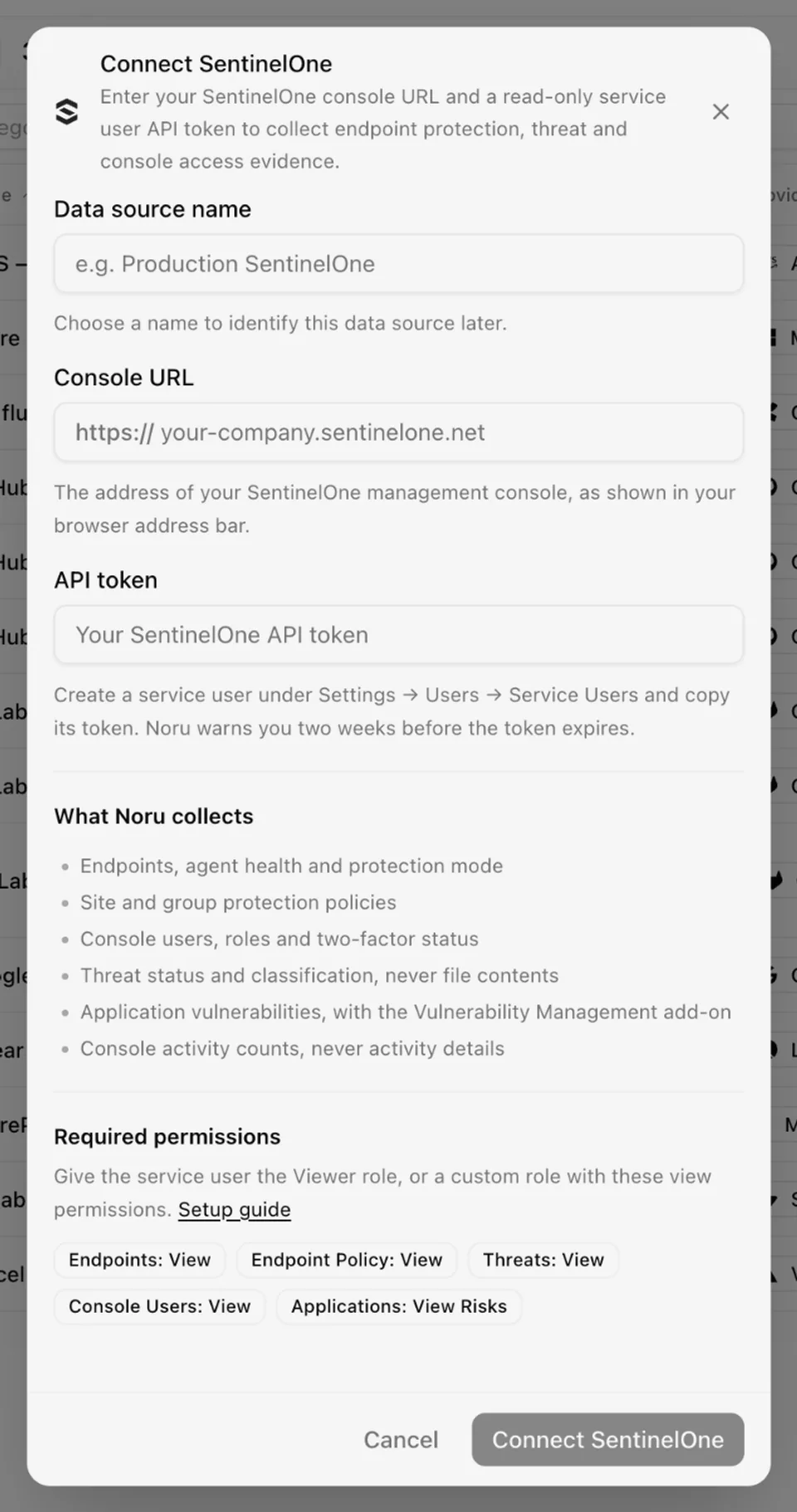
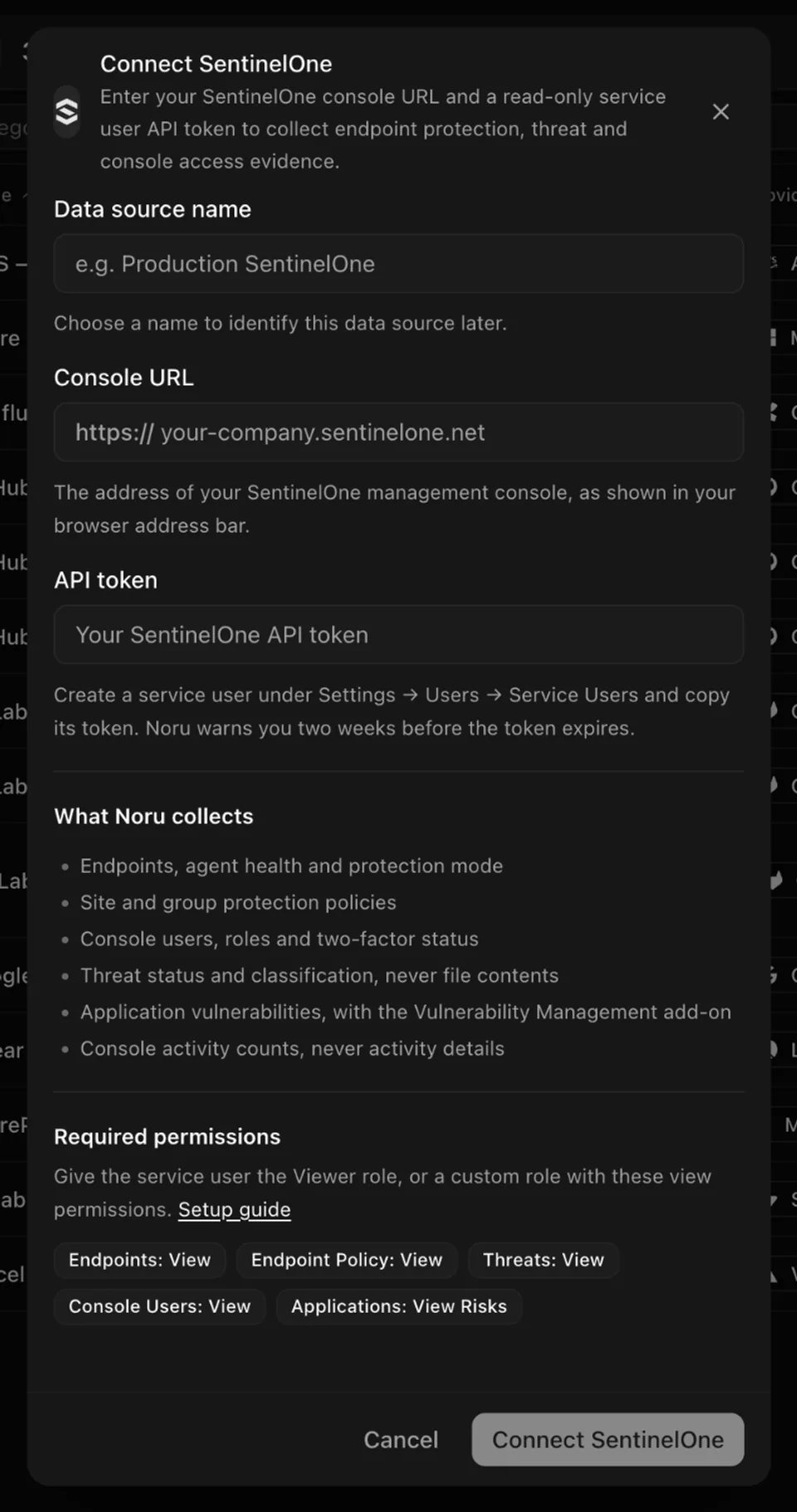
Below the fields, What Noru collects summarizes the data above, and Required permissions lists the five view permissions the service user's role needs, with a link back to this page. Connect SentinelOne stays disabled until all three fields are filled in.
Choose your own Data source name. The example text is a placeholder, not a saved value. See Naming and using connection dialogs for naming, scrolling, and closing behavior.
The connection syncs daily; change the frequency in the detail drawer.
After connecting
To replace the token before it expires, open the detail drawer, find the Access token row, and click Rotate token. The Rotate SentinelOne token dialog checks the new token before saving it; the current one stays in use if the check fails. Noru raises a finding two weeks before the token expires.
A role without one of the permissions still syncs the rest: the evidence that could not be read keeps its last version. Without the Vulnerability Management add-on, there is simply no vulnerability evidence.
The same device reported by another data source with the same serial number, such as Microsoft Entra ID (Intune) or Google Workspace, is listed once in the asset register. The asset shows the other sources under Also seen by.
Permissions in detail
| Permission | Why Noru needs it | What it could technically allow |
|---|---|---|
| Endpoints: View | Endpoint inventory, coverage and health | Read every endpoint's details, including network and user fields Noru discards |
| Endpoint Policy: View | Protect or detect mode and anti-tamper per site and group | Read the full policy configuration |
| Threats: View | Threat counts, status and time to resolve | Read threat details, including file paths and hashes Noru discards |
| Console Users: View | Console users, roles and two-factor status | Read every console user's profile |
| Applications: View Risks | Application vulnerabilities (add-on) | Read the application inventory and its vulnerabilities |
None of these allow Noru to change a policy, run a scan, mitigate a threat, or fetch a file.
Troubleshooting
- "The SentinelOne API token is invalid or has expired. Create a new service user token in SentinelOne and try again." Create a token and rotate it from the drawer.
- "The SentinelOne API token does not have permission to view endpoints. Give the service user a role with Endpoints view access and try again."
- "The SentinelOne console could not be found. Check the console URL and try
again." Also check that the URL starts with
https://and is your console's own address. - "Noru could not connect to SentinelOne. Check the console URL and API token, then try again."
- No vulnerability evidence: the Vulnerability Management add-on is not licensed, or the role lacks Applications: View Risks.
- An expired or under-privileged token marks the data source Needs reauthentication with what to fix. Rotate the token from the drawer or adjust the service user's role, then sync again.
- A console user missing from an access review has no email in SentinelOne.
Related
Last updated on
Neo4j Aura
Connect Neo4j Aura: Aura API client credentials, the two tenant and instance reads Noru makes, and why it never touches graph data.
Supabase
Connect Supabase: read-only Management API scopes, the organization, project, auth, and edge-function data Noru collects, and the toggles that do nothing.