

Supabase
Connect Supabase: read-only Management API scopes, the organization, project, auth, and edge-function data Noru collects, and the toggles that do nothing.
- Authentication
- OAuth
- Categories
- Database, Infrastructure
- Sync cadence
- Daily by default (hourly, weekly, or monthly on request)
- Requested access
organizations:readprojects:readauth:readedge_functions:readenvironment:read
Supabase supplies configuration evidence for your organization and projects through the Supabase Management API. Noru deliberately does not request the scopes that would expose secrets or storage, which also means several collection toggles shown in the app have no effect.
What Noru collects
| Object | Source call | What it feeds |
|---|---|---|
| Organization | Management API organizations | Organization evidence |
| Projects | Projects list, up to the configured maximum | Assets, project configuration evidence |
| Auth configuration | /projects/id/config/auth per project | Authentication and IAM evidence |
| SSO providers | Per project | SSO evidence |
| Edge functions | /projects/id/functions per project; secret names only, taken from the keys of the response | Function inventory evidence |
| Branches | Per project | Environment evidence |
What Noru does not collect
The following return empty with a warning in the sync log, because the scope is not requested or the endpoint is not available to the integration:
- API keys, secrets, and pgsodium keys (
secrets:readnot requested). - Storage buckets (
storage:readnot requested). - Postgres configuration, SQL snippets, custom domains, and vanity subdomains.
- Database rows, table contents, or any SQL.
- Noru never writes to Supabase.
The integration metadata shows toggles for Include API Keys & Secrets, Include Storage Buckets, Include Custom Domains, and Include Postgres Configurations. None of them changes what is collected; those categories are not collected regardless of the setting.
Before you connect
- A Supabase account that is a member of the organization you want to connect. Visibility follows the connecting user's organization membership.
- Popups allowed for the app domain.
- If you have many projects, decide the project cap. Noru stops at the configured maximum.
Connect
/data-sources and click Connect data source.api.supabase.com/v1/oauth/authorize listing the five read scopes.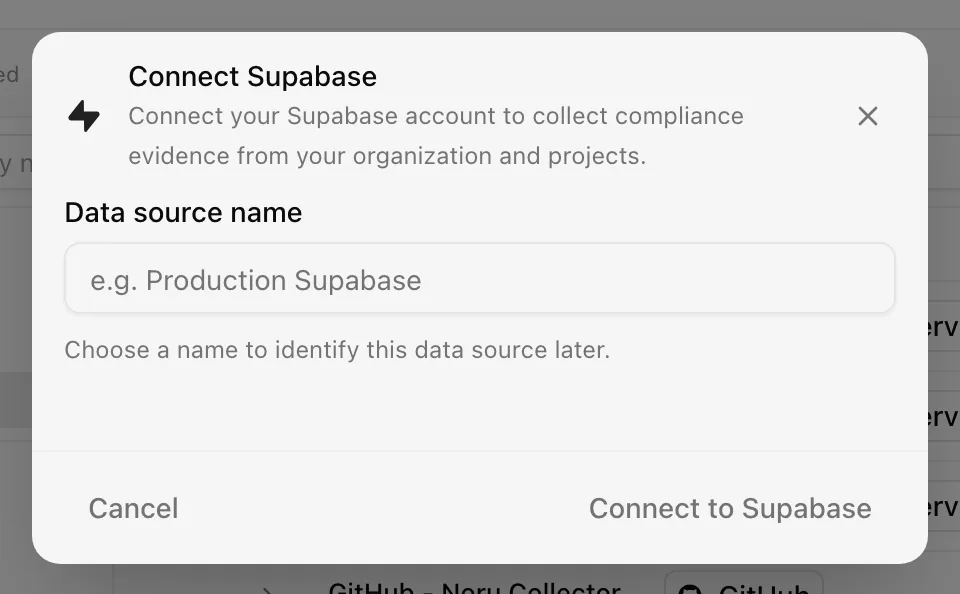
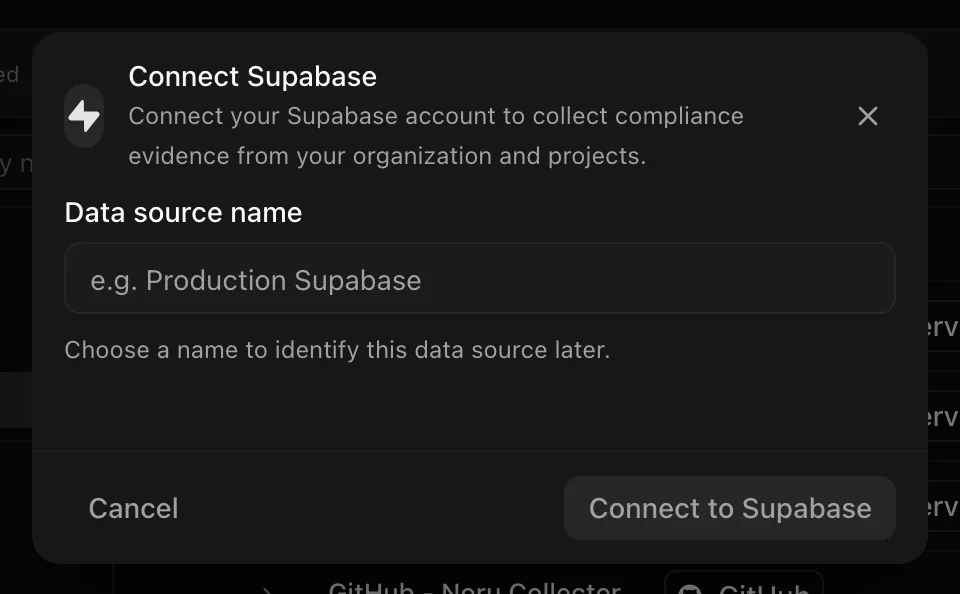
Choose your own Data source name. The example text is a placeholder, not a saved value. See Naming and using connection dialogs for naming, scrolling, and closing behavior.
After connecting
Each sync refreshes organization, project, auth, SSO, function, and branch evidence, mapped to configuration-management, IAM, cryptography, and data-management controls (for example MFA settings from auth configuration, TLS and encryption defaults, and environment separation from branches).
Projects that return no evidence are logged as "No evidence data collected, but this is expected due to API limitations". That is normal for projects where only the unavailable categories would apply.
Permissions in detail
| Scope | Why Noru asks | What it could technically allow |
|---|---|---|
organizations:read | Organization name and membership context | Read organizations the user belongs to |
projects:read | Project list and branches | Read project metadata for those organizations |
auth:read | Auth configuration and SSO providers | Read auth settings, including provider configuration values that Supabase exposes on that endpoint |
edge_functions:read | Function inventory | Read function metadata and code listings |
environment:read | Branch and environment data | Read environment configuration |
Noru does not request secrets:read, storage:read, or any write scope.
Access and refresh tokens are stored encrypted and refreshed automatically.
Revoke the authorization from your Supabase account settings to cut access.
Troubleshooting
| Symptom | Cause and fix |
|---|---|
| "Supabase refresh token was not found. Please re-authenticate…" | The refresh token was revoked or is missing (404 on refresh). Reconnect |
| Sync fails with 401 | The access token expired and refresh failed. Reconnect |
| "No organization data collected" | The connecting user is in no organization, or authorization was cancelled. Reconnect with an organization member |
| "No evidence data collected, but this is expected due to API limitations" | Normal for a project with nothing in the collected categories |
| Warnings about secrets, storage, or Postgres config | Expected; those categories are not collected. See the callout above |
| Fewer projects than expected | The project cap. Raise the maximum on the integration |
Related
Last updated on
Neo4j Aura
Connect Neo4j Aura: Aura API client credentials, the two tenant and instance reads Noru makes, and why it never touches graph data.
Vercel
Connect Vercel: the Marketplace install flow, the team, project, deployment, environment variable, and domain data Noru collects, and how domains reach certificate monitoring.