

Assets
Keep the asset register current: discovered and manual assets, grouping, ownership, classification, and risk links.
What it is
The asset register lists the systems, services, devices, and data stores your program covers. Most rows arrive from data sources: cloud accounts, repositories, and SaaS tools are discovered and refreshed on every sync. The rest you add by hand. Each asset carries an owner, a type, a source, data classification, and optional links to risks. The register itself is evidence: the dashboard's 4. Assets step counts assets with an owner, and the asset inventory control is satisfied once the register has at least one asset.
Where to find it
Assets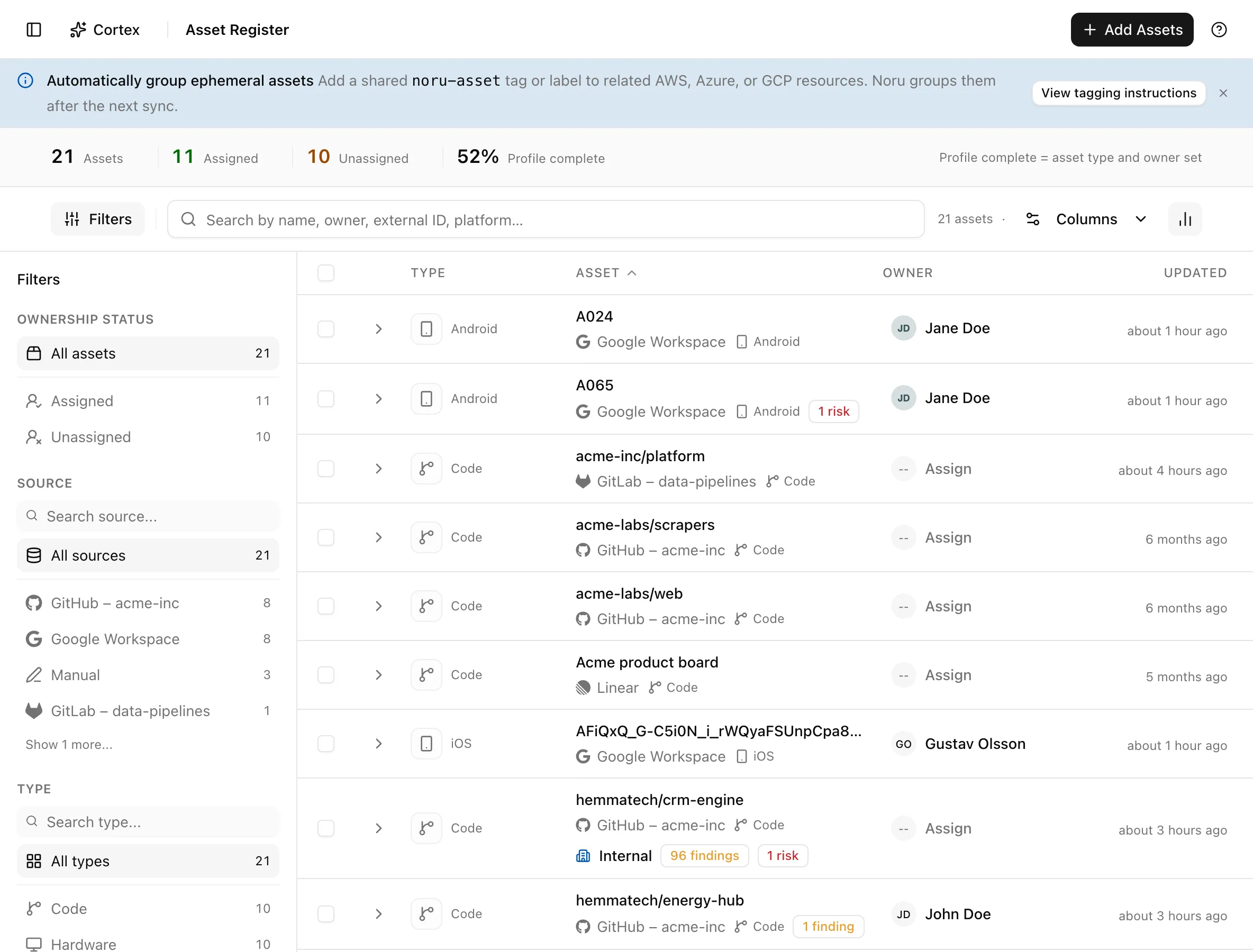
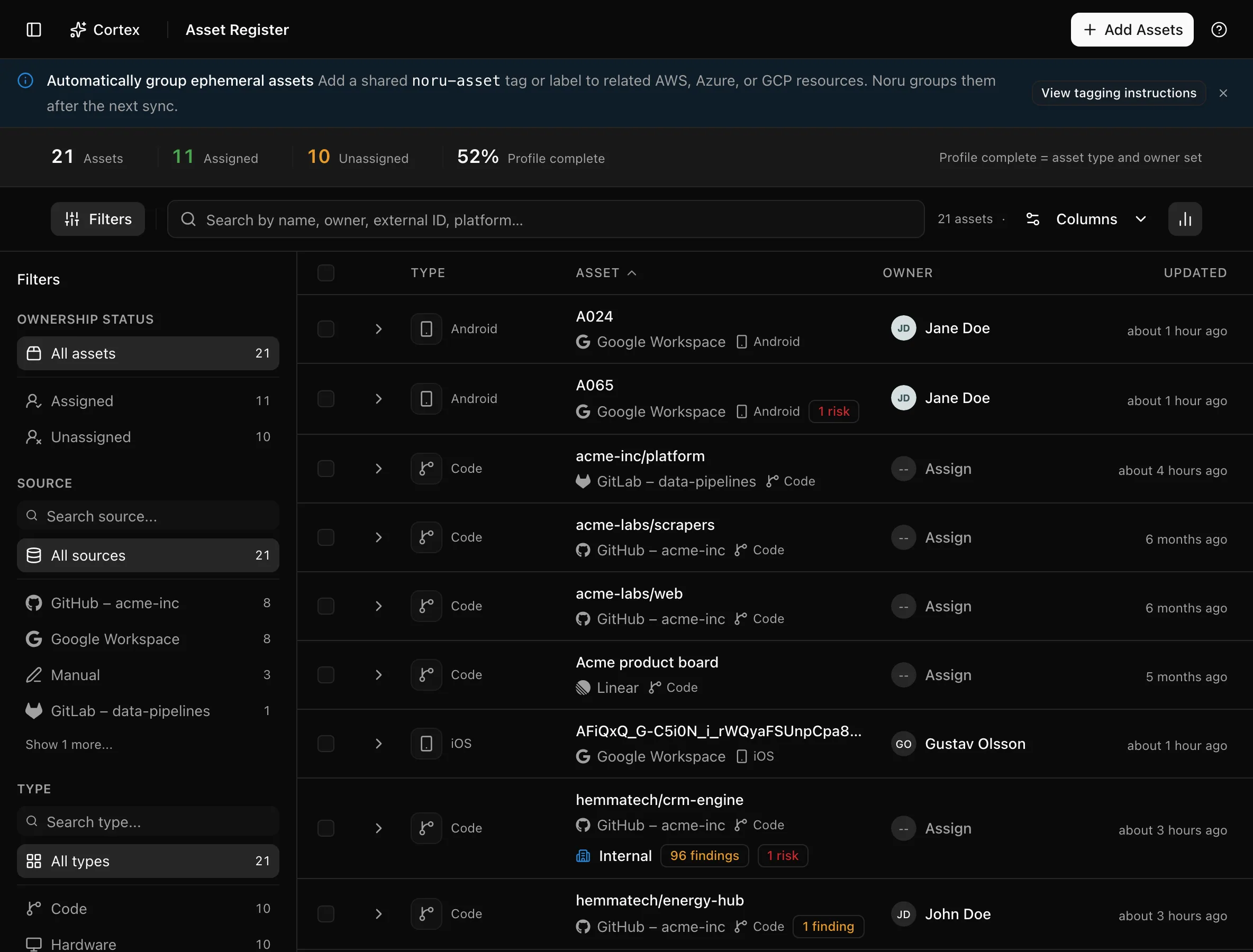
The insight strip shows Assets, Assigned, Unassigned, and Profile complete. Columns are Asset, Type, Source, Owner, Findings / Risks, and Updated.
Key actions
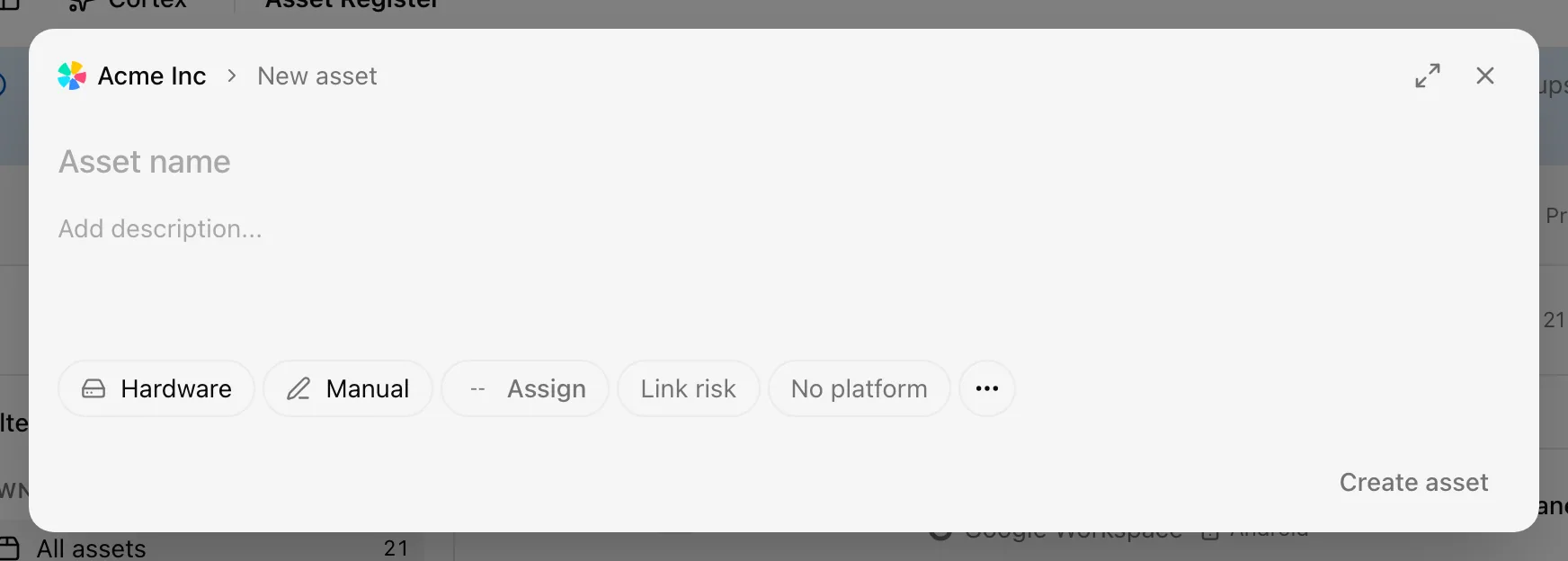
Add an asset by hand
Filter the register
Filters are Ownership status (Assigned or Unassigned), Source, Type, Confidentiality, and Owner. Filter by Unassigned after each sync to find what still needs an owner.
Edit many assets at once
The bulk bar also offers Link Risk and delete. Viewers see the text
Read-only access instead.
Inspect an asset
Click a row to open the drawer. Properties shows Type, Source, Owner, Platform, Confidentiality, Integrity, Availability, and Linked risk. Data categorization shows Retention, Encrypted (rest), and Encrypted (transit). Advanced shows the External ID, and the menu offers Copy ID.
Group ephemeral cloud assets automatically
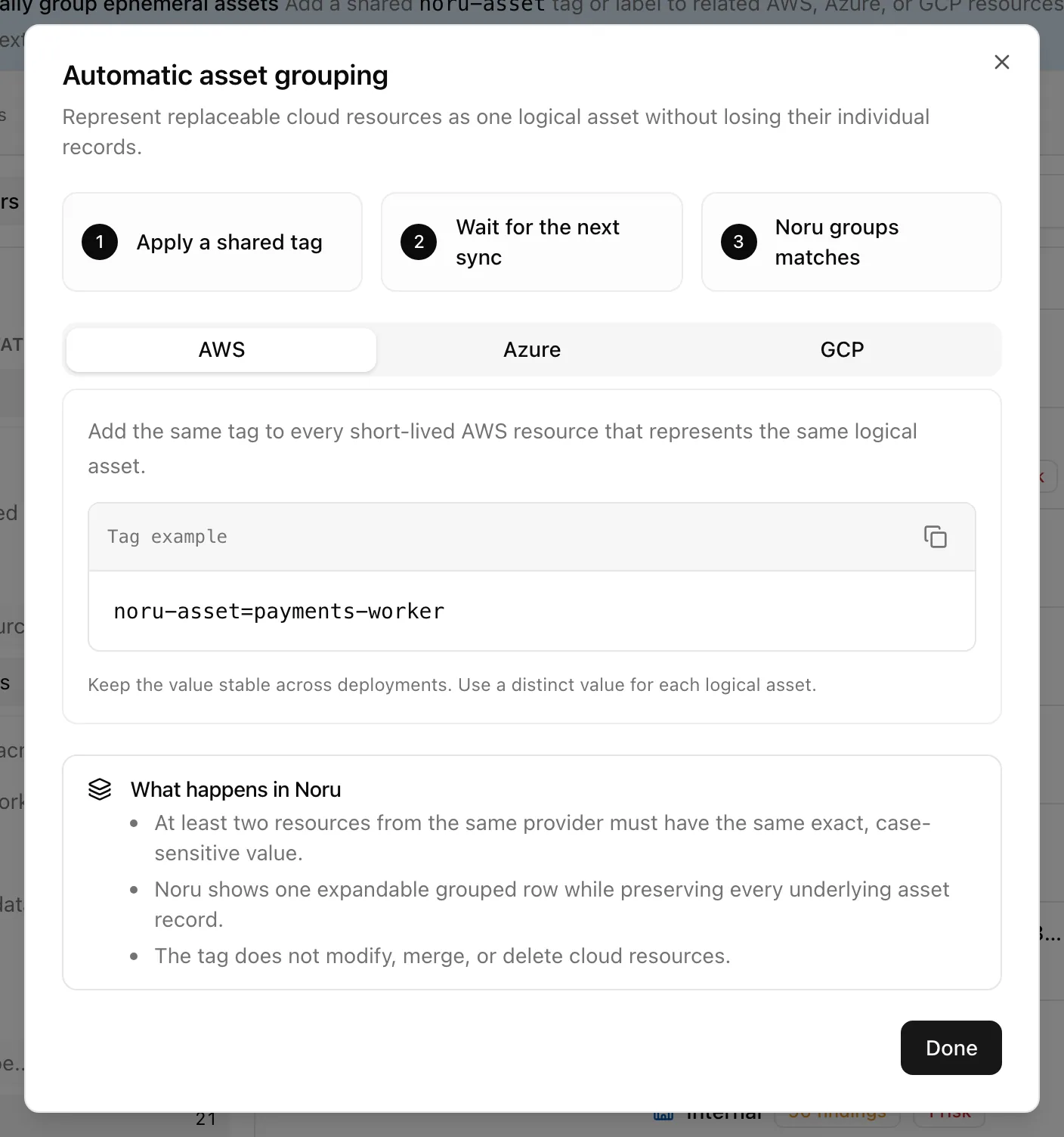
Autoscaled instances, containers, and functions come and go, and each would otherwise be a separate row. Tag them in the cloud and Noru folds them into one asset.
noru-asset and a value naming the logical asset, for example noru-asset=payments-worker. "At least two resources from the same provider must have the same exact, case-sensitive value."noru-asset= and the value, an "N grouped" count, and a Grouped assets section in the drawer."The tag does not modify, merge, or delete cloud resources." When grouped members disagree on owner or classification the row is flagged as Partial Assignment or Mixed Assignment until you set the value on the group. A setup note about the tag also appears when you connect AWS, Azure, or Google Cloud.
Statuses and fields
| Source | How it arrives | What is different |
|---|---|---|
| Discovered | Created and refreshed by a data source sync | Carries an External ID and provider metadata; provider fields update on each sync |
| Manual | New asset | Everything is yours to maintain |
| Insight | Meaning |
|---|---|
| Assigned / Unassigned | Assets with and without an owner |
| Profile complete | Assets whose classification fields are all set |
| Classification | Values |
|---|---|
| Confidentiality, Integrity, Availability | Unclassified, then the levels your organization uses |
| Retention | Free text, such as "7 years" |
| Encrypted (rest), Encrypted (transit) | Yes or no |
Tips and gotchas
Assign owners in bulk right after the first sync: filter by Unassigned, Select all, Edit, set Owner, Apply changes. The dashboard's 4. Assets step completes on owners alone.
Deleting a discovered asset does not stop the sync from recreating it on the next run. Group it or set it to the right type instead; delete only manual assets and assets whose source is disconnected.
The grouping banner can be dismissed and stays dismissed in this browser only. The dialog is always reachable from the page's getting-started guide, which highlights Automatic asset grouping.
What Noru does not do
Noru discovers what the connected accounts expose; it does not scan your network or find systems no data source knows about. It does not choose classifications or owners for you, and the grouping tag never changes, merges, or deletes anything in the cloud provider.
Related
Current and historical asset counts
The default register shows active assets, including manual or older records that have not yet been evaluated. The summary and onboarding ownership counts use that same active population. Stale assets and assets confirmed deleted at the source remain available for history; they do not inflate active ownership work. When viewing another observation status, the register summary follows that status. Search and other filters further narrow the rows and sidebar counts.
The register can include cloud resources as well as employee devices. Use the source and type filters to understand the inventory before assuming that every asset is a physical device or deleting records.
Last updated on