

Microsoft Azure
Connect Microsoft Azure: the Cloud Shell setup script, federated workload identity with Reader and Security Reader, what Noru reads from ARM, and the legacy secret path.
- Authentication
- Service principal (client credentials)
- Categories
- Infrastructure, Security
- Sync cadence
- Daily by default (hourly, weekly, or monthly on request)
Microsoft Azure connects through an app registration that Noru's setup script creates in your tenant. By default no secret is exchanged: the app trusts a per-integration Noru identity through a federated credential, and access is bounded by two Azure RBAC roles on one subscription.
What Noru collects
All collection flags are on by default. Reads go to
https://management.azure.com (ARM) only.
| Object | Source call | What it feeds |
|---|---|---|
| Resource groups | ARM resource groups list | Asset inventory |
| Virtual machines | ARM compute list | Assets, vulnerability and configuration evidence |
| Storage accounts | ARM storage list, properties | Configuration and encryption evidence |
| App services | ARM web apps list | Assets, configuration evidence |
| Key vaults | ARM vault list with properties and access policies | Key-management evidence |
| Virtual networks | ARM network list | Network configuration evidence |
| Defender for Cloud assessments | Security Center assessments and recommendations | Findings, compliance evidence |
| SQL servers | ARM SQL list, when Include SQL Servers is on | Database configuration evidence |
What Noru does not collect
- Key Vault secret, key, or certificate values. Noru reads vault properties and access policies only.
- Storage account contents or any data-plane call.
- Entra ID users, groups, or sign-ins. That is the Microsoft Entra ID connector.
- Noru never writes to Azure. The roles it holds cannot.
Before you connect
- An operator who can create app registrations and service principals and assign RBAC roles on the target subscription. The dialog says so: "The operator running this script needs permission to create app registrations/service principals and assign Azure RBAC roles at the target subscription."
- Access to Azure Cloud Shell, or a local Azure CLI session in the right tenant.
- The subscription id you want Noru to read. One connection covers one subscription.
Connect
/data-sources, click Connect data source, and pick Microsoft Azure (ARM) under Infrastructure.GET on your subscription.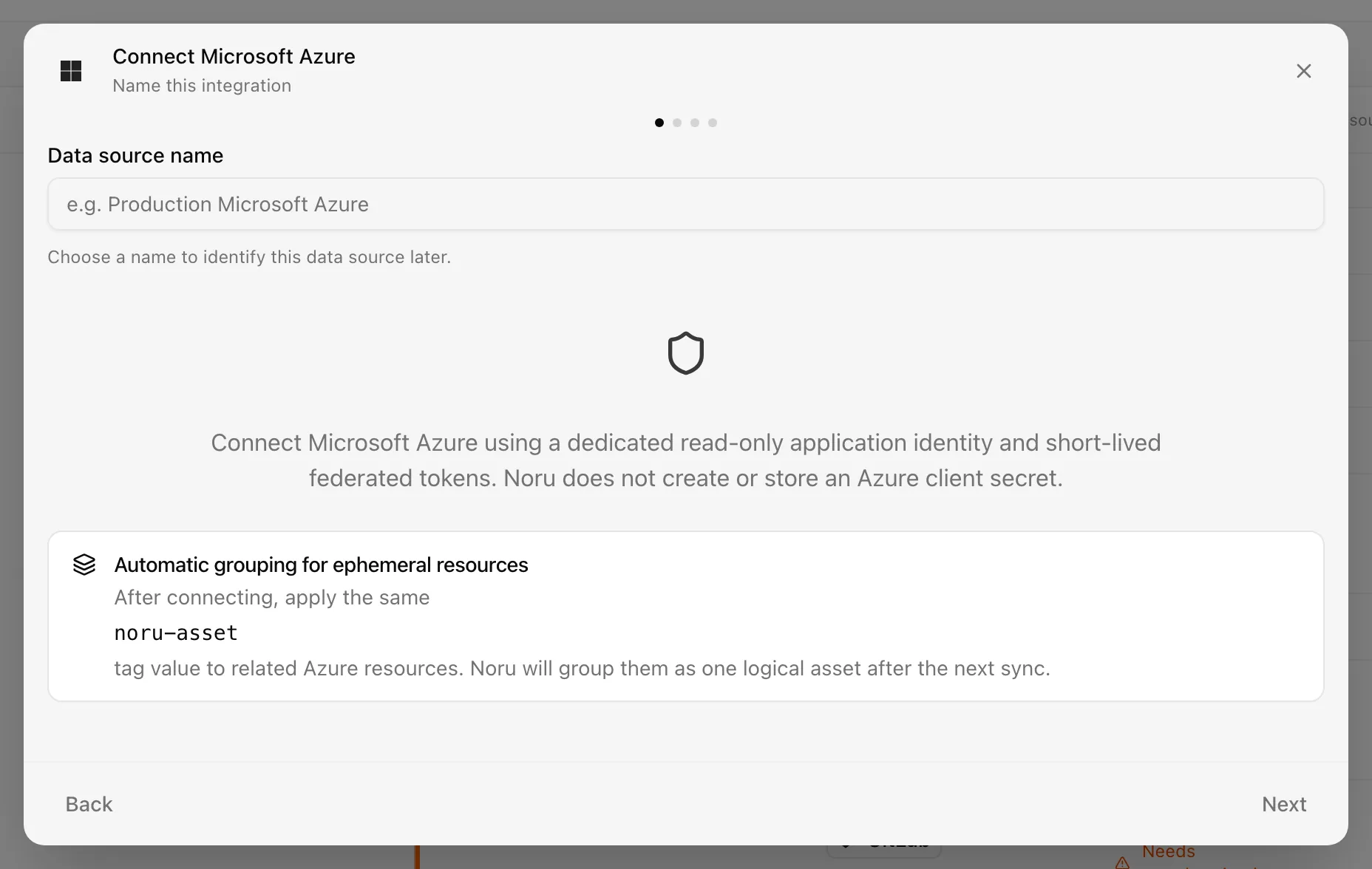
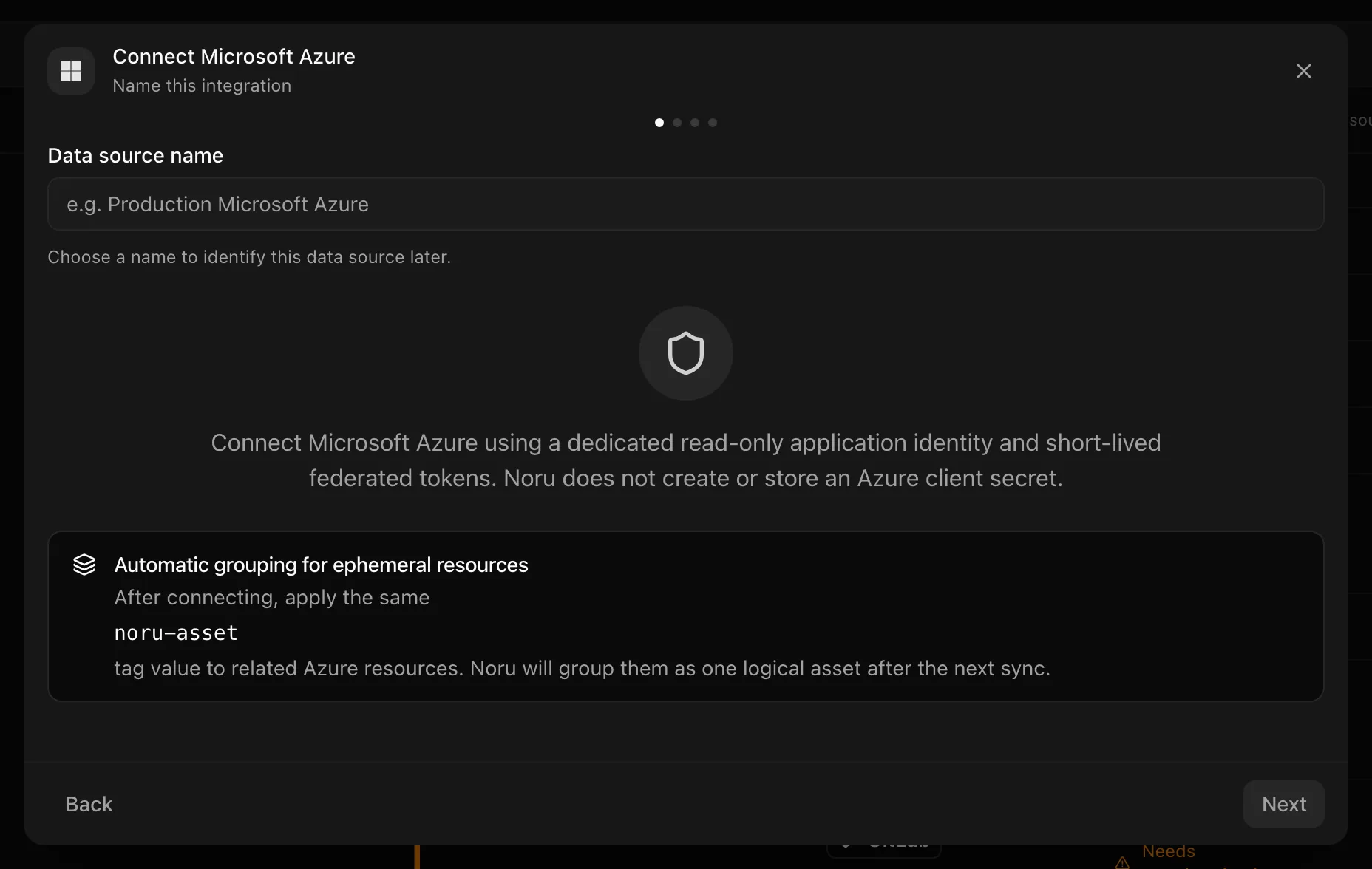
Choose your own Data source name. The example text is a placeholder, not a saved value. See Naming and using connection dialogs for naming, scrolling, and closing behavior.
The federated credential the script creates has issuer
https://accounts.google.com, a subject equal to the unique id of a
per-integration connector identity that Noru provisions, and audience
api://AzureADTokenExchange. At sync time Noru presents a token for that
identity to Entra ID as a client assertion and exchanges it for an ARM
token.
After connecting
Syncs run on the chosen cadence. Resources become assets, Defender assessments become findings and compliance evidence, and evidence is mapped to vulnerability-management, configuration-management, IAM, security-monitoring, and security-governance controls. Findings are linked to assets and risks after each sync.
Permissions in detail
| Grant | Why Noru asks | What it could technically allow |
|---|---|---|
| Reader on the subscription | Enumerate resources and read their properties | Read every ARM resource in the subscription, no data plane, no writes |
| Security Reader on the subscription | Read Defender for Cloud assessments and recommendations | Read security posture and alerts, no changes |
| Federated credential (default) | Let Noru authenticate without a stored secret | Only a token carrying the exact subject and audience can be exchanged |
| Client secret (legacy) | Same access via client_credentials when federation is not used | Anyone holding the secret can act as the app until it expires (one year) |
The detail drawer shows consent text mentioning user_impersonation. Noru
never requests that permission on the script path; effective access is
exactly the two RBAC roles above.
Troubleshooting
| Symptom | Cause and fix |
|---|---|
| "Tenant ID, Subscription ID, and Client ID are required" | A field was left empty on the Credentials step |
| Script warns "could not assign … Continue if your org handles this separately" | The operator lacks role-assignment rights. Have an Owner or User Access Administrator assign Reader and Security Reader to the service principal |
AADSTS error about the federated credential at sync time | Subject or audience mismatch. Re-run the setup script so the federated credential matches this integration |
| Connection test fails on the subscription | The role assignments have not propagated yet or target the wrong subscription. Wait a few minutes, then retry with the correct id |
| Legacy connection stops after a year | The client secret expired. Use Reconnect Microsoft Azure on the integration, run the script, and paste the new secret |
The reconnect dialog exists only for secret-based connections. Workload identity connections that break are repaired by re-running the script.
Related
Last updated on