

GitLab
Connect GitLab: authentication, permissions, what Noru collects, and troubleshooting.
- Authentication
- OAuth
- Categories
- Repository, Security
- Sync cadence
- Daily by default (hourly, weekly, or monthly on request)
- Requested access
read_apiread_user
Noru connects to GitLab with OAuth as the user who authorizes it, on gitlab.com with Noru-managed credentials or on a self-hosted instance with an OAuth application you register. Collection is limited to the projects that user is a member of.
Looking for privacy data mapping?
This page covers the compliance evidence connector, which never reads source code. To build a privacy data map from a GitLab project, publish it from GitLab CI. See Bring your privacy data into Noru.
What Noru collects
| Evidence type | Evidence | Read from |
|---|---|---|
| Repository | GitLab Project, one per project | Project details |
| Policy | Access Control; Project Settings; Branch Protection | Members, project settings, protected branches |
| Scan result | Security Scanning | Vulnerabilities (Ultimate tier) |
| Procedure | Pipeline Automation; Merge Request Workflow | Pipelines, merge requests (one page each) |
| Log | Issue Tracking | Issues (one page) |
| Inventory | Deploy Configuration | Deploy keys, environments |
Each project becomes an asset with the external id gitlab:project: followed
by its path. Members with an email become personnel identities. Findings are
created from detected and confirmed vulnerabilities (secret detection is
always critical) and from derived checks: public projects (medium), internal
projects (low), projects without CI/CD pipelines (low), projects without branch
protection (medium), deploy keys without expiry (medium), protected branches
that do not require pipeline success before merge (high) or discussion
resolution (medium), and protected branches that allow force push (high).
Evidence maps to controls across asset management, secure lifecycle, IAM,
vulnerability management, configuration and change management, and security
governance.
What Noru does not collect
Noru calls exactly eleven endpoints: the user profile, the membership project list (up to ten pages of 100), and per project the details, members, merge requests, issues, pipelines, protected branches, vulnerabilities, deploy keys, and environments. No file, blob, or tree endpoint is called, no CI variables are read, and no job logs or artifacts are fetched.
read_api is broader than the calls above
read_api lets a token read every API resource the authorizing user can see,
including repository files. Noru does not use that breadth, but the grant is
the user's. Authorize with an account whose membership matches what you want
Noru to reach, rather than an instance administrator.
Before you connect
- For GitLab Cloud, a gitlab.com account that is a member of the projects you want covered.
- For Self-Hosted GitLab, an instance reachable over https on a public
host, and an OAuth application on that instance with the redirect URL the
dialog shows (your Noru origin plus
/api/oauth/gitlab/callback) and theread_apiandread_userscopes. - Popups allowed for the Noru app origin.
- Admin or editor role in Noru.
Connect
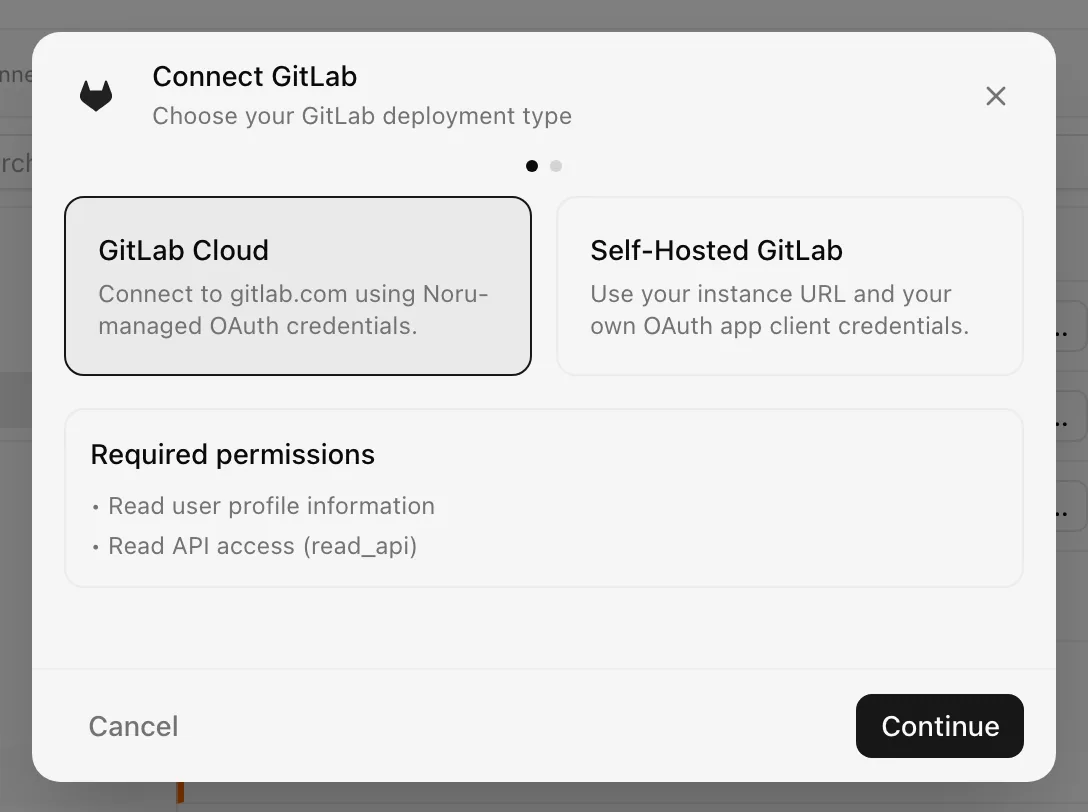
Choose your own Data source name. The example text is a placeholder, not a saved value. See Naming and using connection dialogs for naming, scrolling, and closing behavior.
After connecting
The first sync lists the projects the authorizing user belongs to (archived projects excluded) and reads each one. Tokens are refreshed shortly before they expire, and an authentication failure triggers one more refresh attempt; if that fails the source becomes Disconnected and shows Reauthenticate. The Noru-managed client secret is never sent to any host other than gitlab.com.
Permissions in detail
| Scope | Why Noru needs it | What it could technically allow |
|---|---|---|
read_user | The profile of the authorizing user, used to attribute the connection | Read the user's profile and email |
read_api | Every project-level read listed above | Read any API resource the user can see, including repository files, CI variables the user can view, and job logs |
Noru stores the access token, the refresh token, and for self-hosted the client secret, all encrypted at rest. Vulnerability reads require GitLab Ultimate; on other tiers the endpoint returns 403 or 404 and Noru records an empty list.
Troubleshooting
- "GitLab authorization was denied" or "Invalid OAuth state": reopen the dialog and approve again in the same browser session.
- "GitLab client ID is required for self-hosted instances", "GitLab URL must use https", "GitLab URL must point at a public host": fix the self-hosted fields.
- "No GitLab projects accessible. Check that the OAuth token has read_api
scope." The token is valid but the user is a member of nothing, or the OAuth
application lacks
read_api. - "Failed to open OAuth popup. Please allow popups for this site."
- Revoked grants are detected at sync and mark the source Disconnected.
Related
Last updated on