

JungleMap
Connect JungleMap (NanoLearning): credential setup, how activity plans become training campaigns, and which completion data Noru writes.
- Authentication
- API key
- Categories
- HR
- Sync cadence
- Daily by default (hourly, weekly, or monthly on request)
JungleMap (NanoLearning) syncs training completion into Noru's training campaigns. It is the one connector on this tab that produces no evidence rows and no assets: its only output is assignment status on campaigns.
What Noru collects
| Object | Source call | What it feeds |
|---|---|---|
| Activity plans | GET activity plans at https://go.nanolearning.com, stage Production, with activities included | Campaign matching and auto-provisioning |
| Plan statistics | POST statistics per plan with activity statistics: email, activity count, completed count, last completed activity, per-activity statistics | Assignment status per person |
Plans are matched to existing campaigns by normalised name. A plan with no
match auto-provisions a training plan and campaign with delivery mode external,
a schedule date and year parsed from the plan name, an audience of personnel
matched by email, the material URL https://go.nanolearning.com, and the
description "Delivered via JungleMap (NanoLearning). JungleMap plan ID: …".
Orphaned, non-archived plans are reused rather than duplicated.
What Noru does not collect
- Course content or material.
- Per-activity scores. Only counts and the last completion are used.
- People who are not in the People directory. Matching is by email; unknown emails are skipped.
- Noru never sets an assignment to
overduefrom JungleMap data. Statuses written are pending, in progress, and completed (with a completion time). - No evidence, no assets, no vendor records.
Before you connect
- A JungleMap account whose username and password can read activity plans and statistics.
- The People directory populated with the same email addresses JungleMap uses. Connect HaileyHR, Google Workspace, or Microsoft Entra ID first, or add people manually.
- Stable plan names. Renaming a plan in JungleMap creates a new campaign on the next sync rather than updating the old one.
Connect
/data-sources and click Connect data source.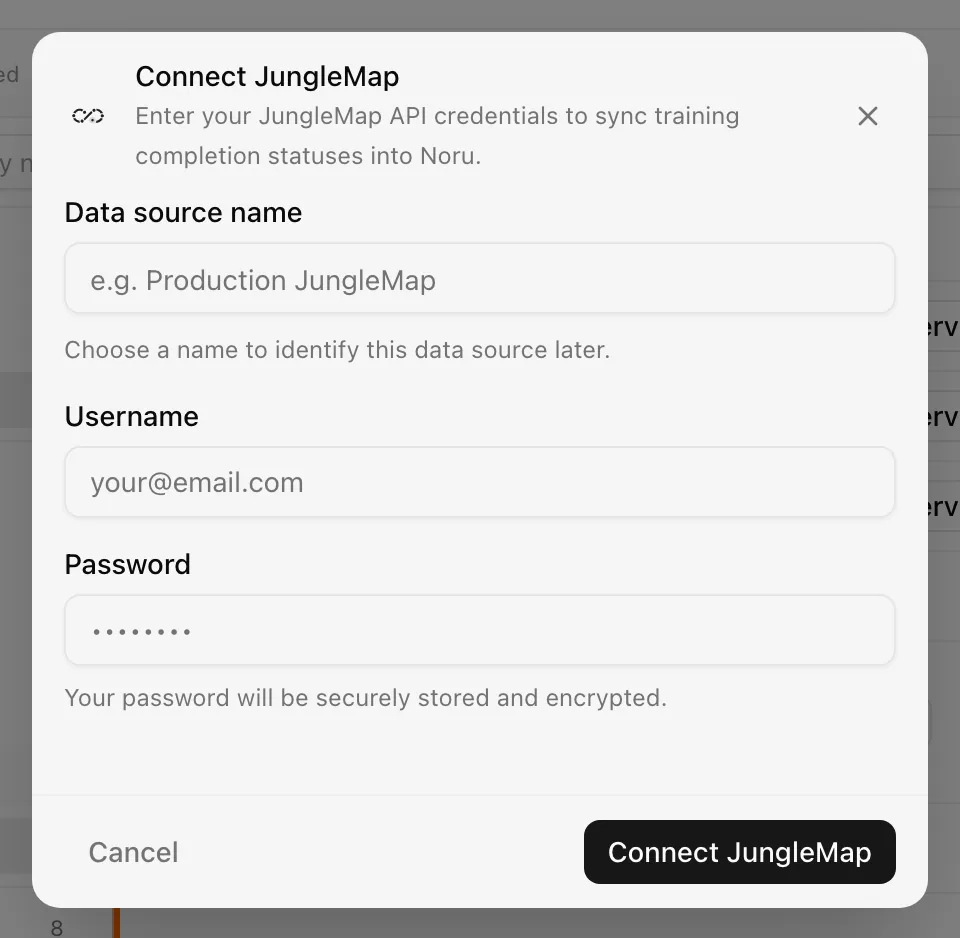
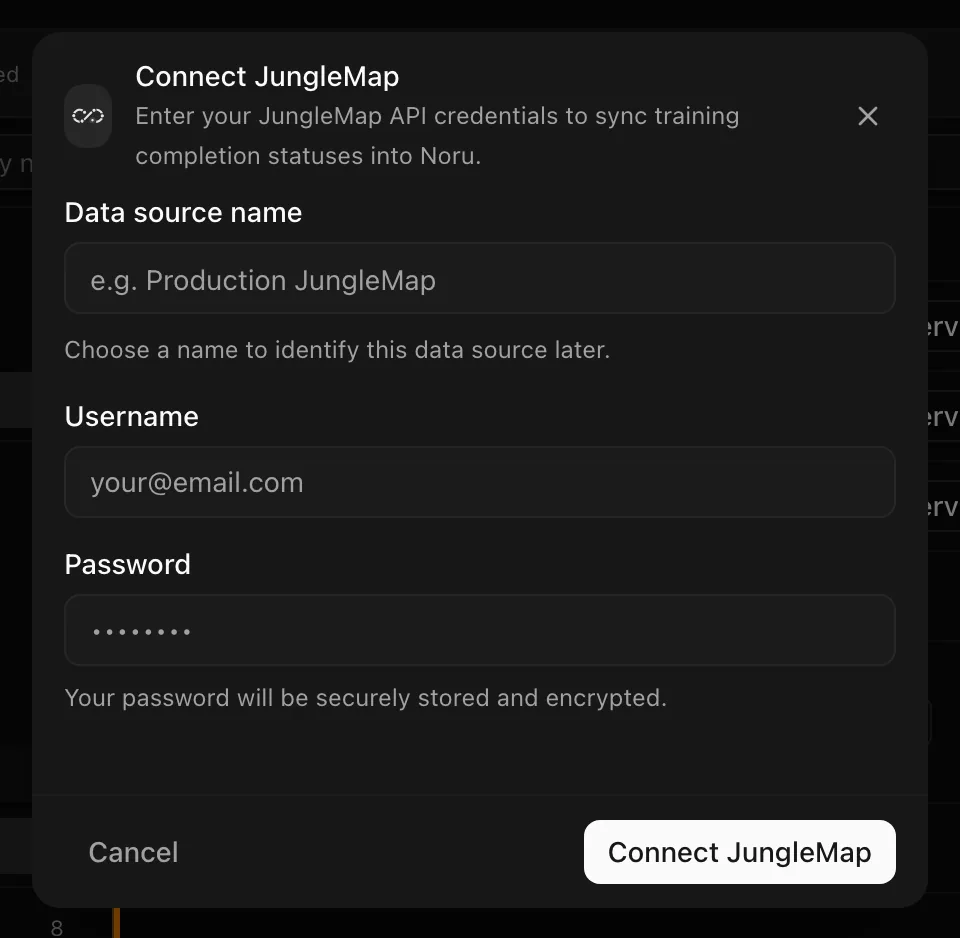
Choose your own Data source name. The example text is a placeholder, not a saved value. See Naming and using connection dialogs for naming, scrolling, and closing behavior.
The default cadence is daily.
After connecting
Each sync fetches every Production plan, matches or provisions a campaign, and writes assignment statuses for people found by email. Completed activities set the assignment to completed with the completion time; partial progress sets in progress; no progress leaves pending. The sync summary reads "Synced N assignment statuses with M failure(s)" when some rows could not be written.
Campaign reminders, acknowledgement, and reporting then work exactly as they do for campaigns you run inside Noru.
Permissions in detail
JungleMap has no OAuth scopes. Noru authenticates with an OAuth password grant using the username and password you enter, and receives a token for that user.
| Credential | Why Noru asks | What it could technically allow |
|---|---|---|
| Username and password | Read activity plans and completion statistics | Everything that user can do in JungleMap, including edits, if the API exposed them. Noru issues only the plan list and statistics calls |
The password is encrypted at rest with a key held by Noru. Change the password in JungleMap to revoke access; the next sync then fails to authenticate.
Use a dedicated JungleMap service user with read-only rights rather than a personal account, so a password change on your own account does not break the sync.
Troubleshooting
| Symptom | Cause and fix |
|---|---|
| Connect fails with an authentication error | Wrong username or password, or the account cannot reach the API. Check the credentials in JungleMap first |
| A plan appears twice as two campaigns | The plan was renamed. Archive the stale campaign; matching is by name |
| People are missing from a campaign | Their email is not in the People directory. Add them, then re-sync |
| "Synced N assignment statuses with M failure(s)" | Individual rows failed, usually an email that matched no person. Check the sync log for the addresses |
| Completion never shows | The activity is not in a Production-stage plan, or the completion is recorded under a different email |
Related
Last updated on
HaileyHR
Connect HaileyHR: API-key setup, the employee and company data Noru reads, the schema profile that feeds the privacy data map, and what stays in Hailey.
Linear
Connect Linear: read-scope OAuth, the team, issue, project, and member data Noru collects for change management, what it leaves alone, and optional task tracking.