

DigitalOcean
Connect DigitalOcean: authentication, permissions, what Noru collects, and troubleshooting.
- Authentication
- OAuth
- Categories
- Infrastructure, Security
- Sync cadence
- Daily by default (hourly, weekly, or monthly on request)
- Requested access
account:readactions:readapp:readblock_storage:readblock_storage_snapshot:readcdn:readcertificate:readdatabase:readdomain:readdroplet:readfirewall:readimage:readkubernetes:readload_balancer:readmonitoring:readnat_gateway:readproject:readregistry:readregions:readreserved_ip:readsecurity:readsizes:readsnapshot:readssh_key:readtag:readuptime:readvpc:readvpc_peering:read
Noru connects to a DigitalOcean team with OAuth and exactly 28 granular read scopes. The grant is checked against that list on every sync; anything broader or narrower is refused and the token revoked. Deleting the source revokes the token on DigitalOcean automatically.
What Noru collects
| Evidence type | Evidence | Read from |
|---|---|---|
| Access configuration | Access Key Inventory | SSH keys (id, name, fingerprint only) |
| Change activity | Resource Change Activity | Actions (full history) |
| Asset inventory | Cloud Asset Inventory | Projects and their resources, apps, droplets, databases (with firewall and backup settings), Kubernetes clusters, volumes and snapshots, load balancers, domains and records, custom images, registries, reserved IPs, CDN endpoints |
| Monitoring configuration | Monitoring and Alert Configuration | Monitoring alerts, uptime checks |
| Network security | Network Security Configuration | Firewalls, VPCs, VPC peerings, NAT gateways |
| Backup configuration | Backup, Snapshot, and Certificate Configuration | Snapshots, certificates |
| Security posture | Cloud Security Posture | Latest security scan and affected resources |
Evidence names follow the pattern "DigitalOcean" plus the title plus the team name. Assets are created for droplets, managed databases, Kubernetes clusters, App Platform applications, volumes, load balancers, container registries, and domains. Evidence maps conditionally to controls across asset management, configuration management, network, security monitoring, backup and business continuity, cryptography, change management, and vulnerability management.
What Noru does not collect
- Team members and roles. The API does not expose them under these scopes.
- Billing, logs, console sessions, or any write.
- Database connection strings, kubeconfig files, account email, TXT record data, user data scripts, environment variables, app specs, and webhooks: Noru drops any field named like password, secret, token, credential, connection, uri, public or private key, user_data, env, spec, logs, or webhook before storage.
- Security findings on the Findings page. The cloud security posture scan stays in evidence only and does not create findings.
Before you connect
- Owner or a member with permission to authorize applications on the team.
- Popups allowed for the Noru app origin.
- Admin or editor role in Noru.
Connect
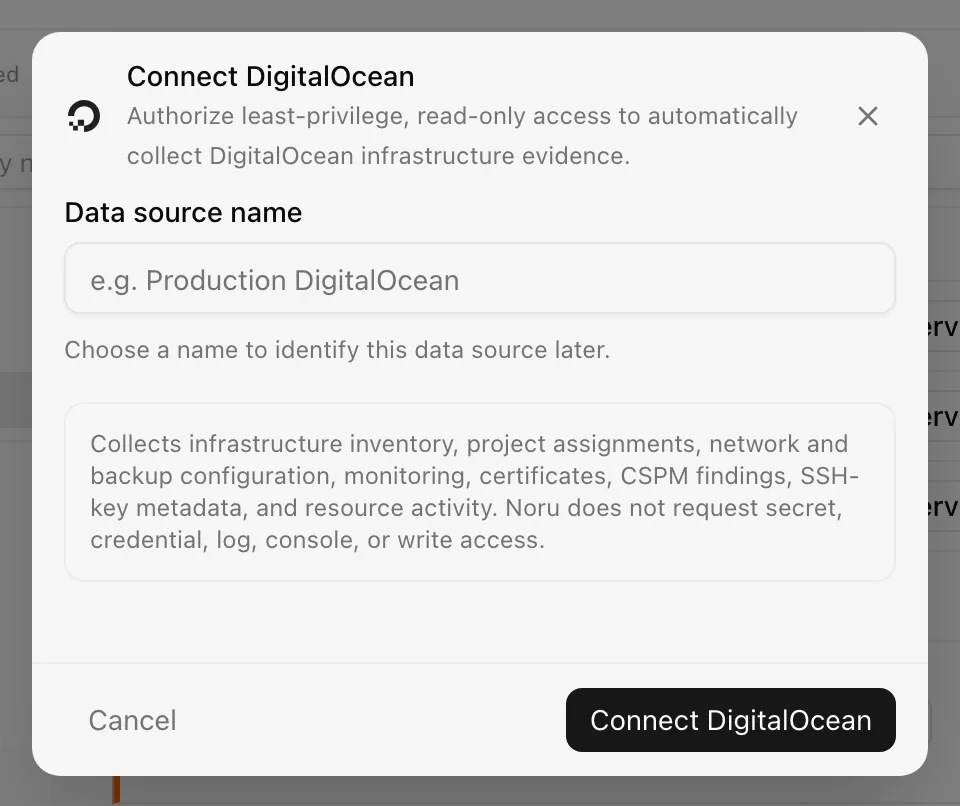
Choose your own Data source name. The example text is a placeholder, not a saved value. See Naming and using connection dialogs for naming, scrolling, and closing behavior.
The connection syncs daily; change the frequency in the detail drawer.
After connecting
Each module runs independently. A 403 marks that module permission_denied
with a "Missing" note naming the scope, and the sync continues. The access
token is refreshed before it expires. Scope drift detected at sync revokes the
token and marks the source Disconnected with "DigitalOcean
reauthentication required".
Permissions in detail
| Scope group | Endpoints | What it could technically allow |
|---|---|---|
account:read, ssh_key:read | /account/keys | Account profile and every SSH public key |
actions:read | /actions | The full action history of the team |
project:read, app:read, droplet:read, database:read, kubernetes:read, block_storage:read, block_storage_snapshot:read, load_balancer:read, domain:read, image:read, registry:read, reserved_ip:read, cdn:read, tag:read, regions:read, sizes:read | Inventory endpoints listed above | Configuration of every resource; databases and clusters expose connection details and kubeconfig in the raw API response, which Noru drops before storage |
monitoring:read, uptime:read | /monitoring/alerts, /uptime/checks | Alert policies and check targets |
firewall:read, vpc:read, vpc_peering:read, nat_gateway:read | Network endpoints | Firewall rules and network topology |
snapshot:read, certificate:read | /snapshots, /certificates | Snapshot and certificate metadata |
security:read | /security/scans/latest | Posture scan results |
Not requested: api:read and database:view_credentials. The grant must be a
bearer token with this exact set, every scope ending in :read; otherwise the
token is revoked immediately with "DigitalOcean granted unexpected
permissions".
Troubleshooting
- "Allow popups to connect DigitalOcean": allow popups and retry.
- "DigitalOcean authorization timed out": the consent page was not completed; reopen the dialog.
- "DigitalOcean granted unexpected permissions": approve the consent screen without editing scopes.
- "DigitalOcean reauthentication required" or "DigitalOcean reauthentication required: refresh token is missing": click Reauthenticate on the row.
- A module marked
permission_deniedin evidence: the grant no longer covers that scope; reauthenticate.
Related
Last updated on