

Sync model
How often each source syncs, what the sync button does, what each status means, and what a sync produces.
Every data source runs the same pipeline: authenticate, collect, validate, create evidence, map evidence to controls, then hand the results to findings and linking. This page explains the schedule that drives it, the statuses you see in the list, and what one successful run leaves behind.
Sync frequencies
| Frequency | Interval between runs |
|---|---|
| Hourly | 1 hour |
| Daily | 24 hours (default) |
| Weekly | 7 days |
| Monthly | 30 days |
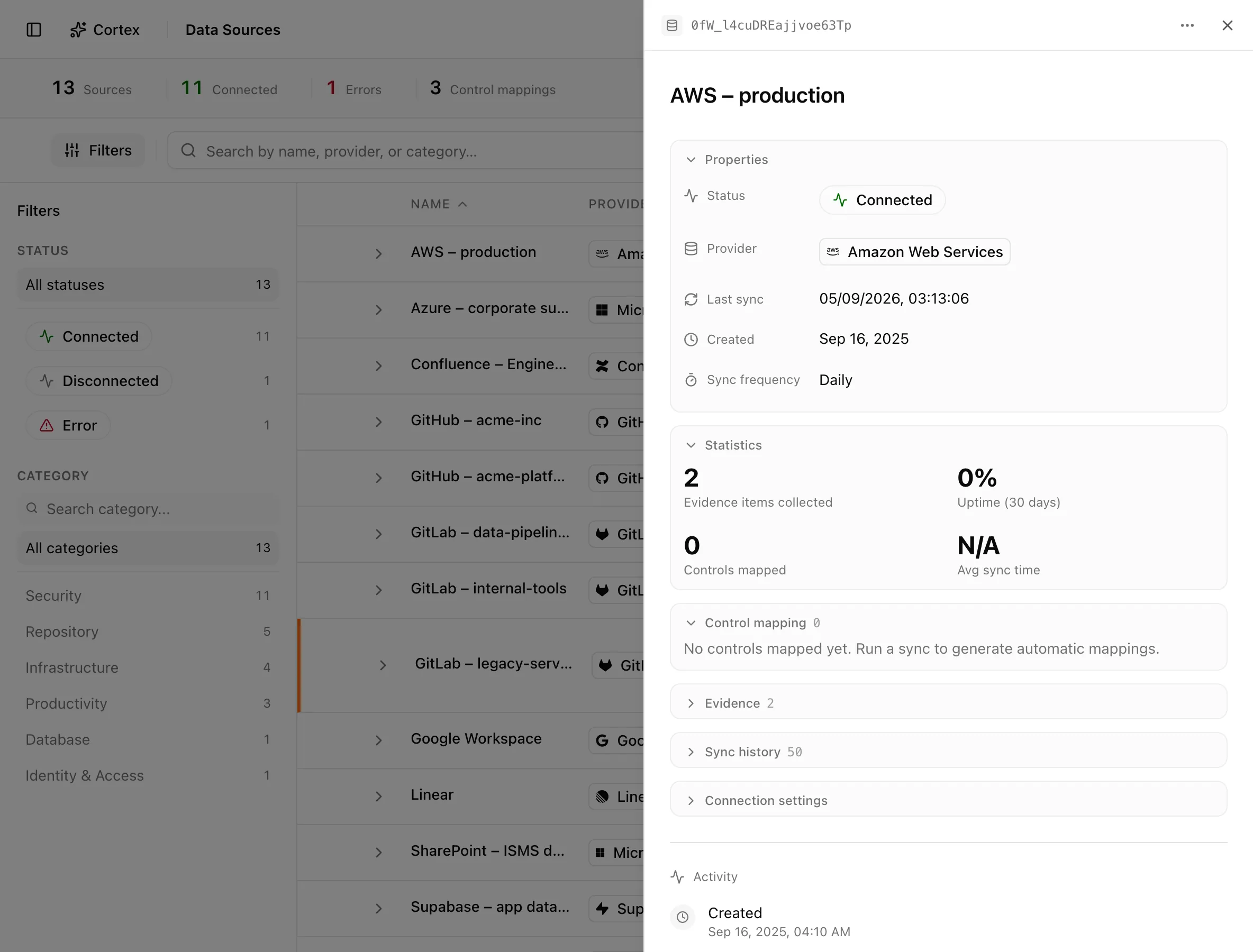
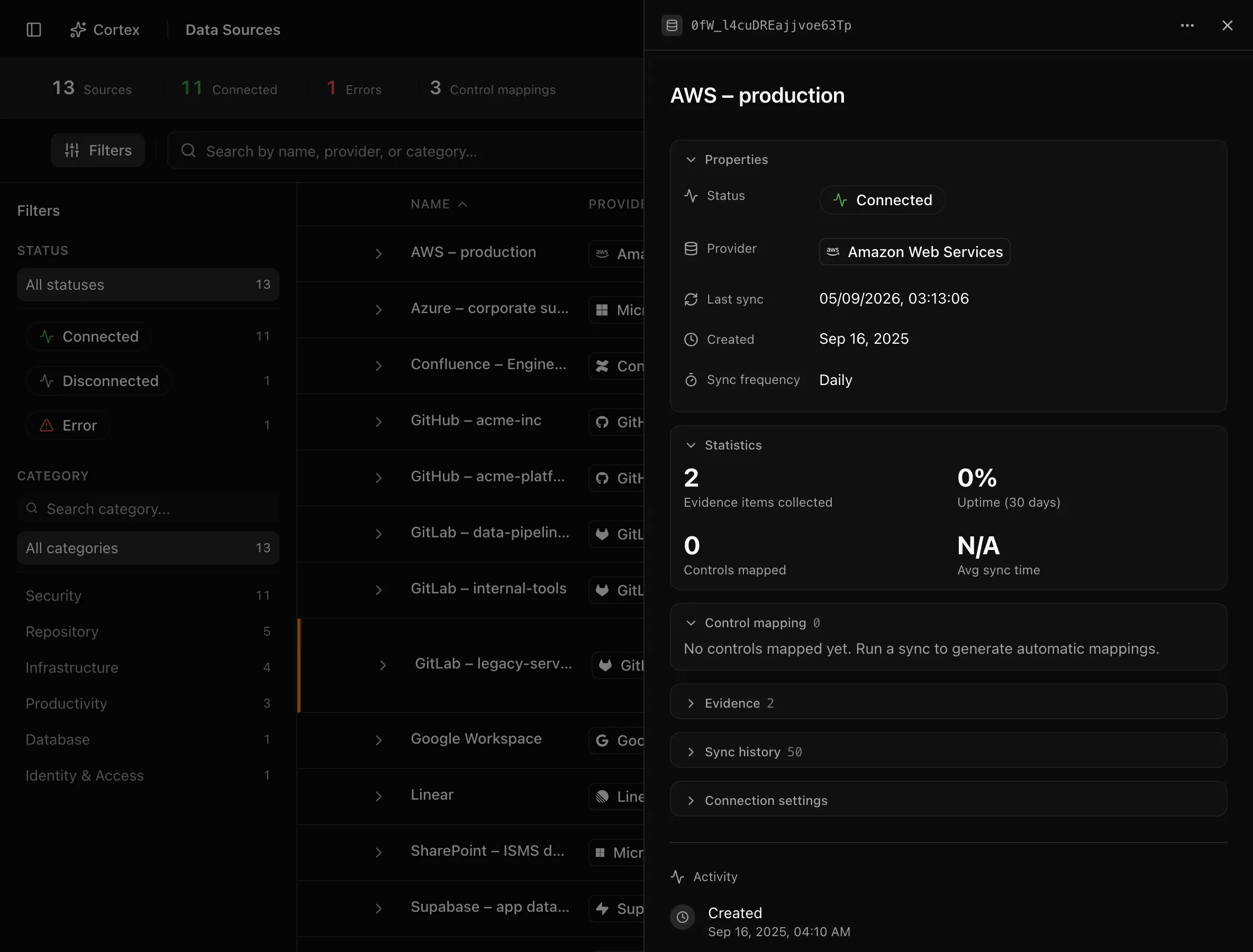
Pick the frequency in the connect dialog under Sync frequency, or change it later from the detail drawer's Sync frequency row (an inline select with Hourly, Daily, and Weekly; admin or editor role required). Several provider dialogs do not show a frequency field and connect at daily: Cloudflare, DigitalOcean, Confluence, Databricks, Datadog, Detectify, and GitHub. You can still change those afterwards in the drawer.
Noru continuously looks for sources whose next sync time has passed and whose status is Connected or Error. A Disconnected source is never picked up automatically; see Statuses. If a source is in Error, it is retried automatically, sooner than the configured frequency. If a sync for the same source is already running or waiting to run, a second one is not started.
Run a sync now
Each row in Data Sources has a refresh button. It starts a sync immediately that behaves exactly like a scheduled run. The button is disabled while the status is Syncing; a Cancel button and a progress bar with the run's current step appear while it runs.
Statuses
| Status | Meaning | Set by |
|---|---|---|
Connectedconnected | The last sync succeeded, or the source was just created. Eligible for automatic syncs. | Sync, or connect flow |
Syncingsyncing | A sync is running now. The manual sync button is disabled until it finishes. | Sync |
Errorerror | The last sync failed for a reason other than a recognised authentication failure. Retried automatically, sooner than the configured frequency. | Sync |
Disconnecteddisconnected | Authentication failed in a way the provider classifies as needing re-authorization. Never retried automatically. | Sync, or provider-side revocation detected at sync |
When a source is Disconnected, or in Error with a stored reauthentication reason, the row shows an orange Needs reauthentication line with the reason and a Reauthenticate button. Providers that classify their own auth failures this way include Linear, GitLab, Google Workspace, the Microsoft family, HaileyHR, JungleMap, Cloudflare, DigitalOcean, and GitHub. AWS, Google Cloud, Datadog, Detectify, Databricks, and Confluence do not distinguish an expired credential from other failures, so an expired credential there shows as Error and is retried automatically until you fix it.
Three validation outcomes are logged as warnings but leave the source Connected: "Data validation failed", "No organization data collected", and "No evidence data collected". Check Sync history if a source looks healthy but is producing nothing.
Sync history
The detail drawer has a Sync history section (collapsed by default, with a count badge). Each run records a status of success or error, a message ("Sync completed successfully" or the error text), items processed, failures, control mappings generated, and duration. A run that does not finish in a reasonable time is timed out and recorded as an error.
What a sync produces
| Output | Where it lands | Which providers |
|---|---|---|
| Evidence | Evidence vault, with type, name, and content | All |
| Assets | Assets | AWS, Google Cloud, Cloudflare, DigitalOcean, GitHub, GitLab, Detectify, among others |
| Personnel identities | People directory | Identity and HR providers, GitHub, GitLab, Cloudflare, Databricks, Datadog, Confluence (connecting user only) |
| Security findings | Findings | AWS, Google Cloud, Cloudflare, GitHub, GitLab, Databricks, Datadog, Detectify |
| Control mappings | Evidence linked to controls with high or medium confidence | All except Confluence and Detectify, which map to none |
| Certificate domains | Certificates | Cloudflare, Detectify, and any evidence that names a hostname |
| Privacy signals | Privacy review queue and data-map refresh | Connectors with a privacy mapping |
The run's summary message reads "Successfully synced N items and generated M control mappings". Transient provider errors such as rate limits are retried automatically inside the run before it is marked failed.
After the sync
Once evidence is written, two non-fatal steps run:
- Findings are persisted for the integration: new ones created, existing ones updated, and ones no longer reported marked resolved.
- Post-sync linking connects scan findings to assets, links findings to risks that were pre-created for them, registers certificate domains discovered in evidence, records Google Workspace third-party grants, refreshes the privacy data map for connectors that have one, proposes grant attributions to the review queue, and runs privacy drift detection.
Control mappings are made per provider, keyed on evidence type and name. Separately, cloud-only organizations get physical-infrastructure evidence items marked not applicable ("GCP/AWS handles the perimeter"); that comes from your organization profile, not from a sync.
A sync does not mark any control implemented and does not replace review. It proves configuration and inventory facts at collection time; it cannot prove that a process operates or why a choice was made. See control status and coverage for how mapped evidence feeds status.
Related
Last updated on