

Certificates
Monitor domains and Certificate Transparency records and act on expiring certificates.
What it is
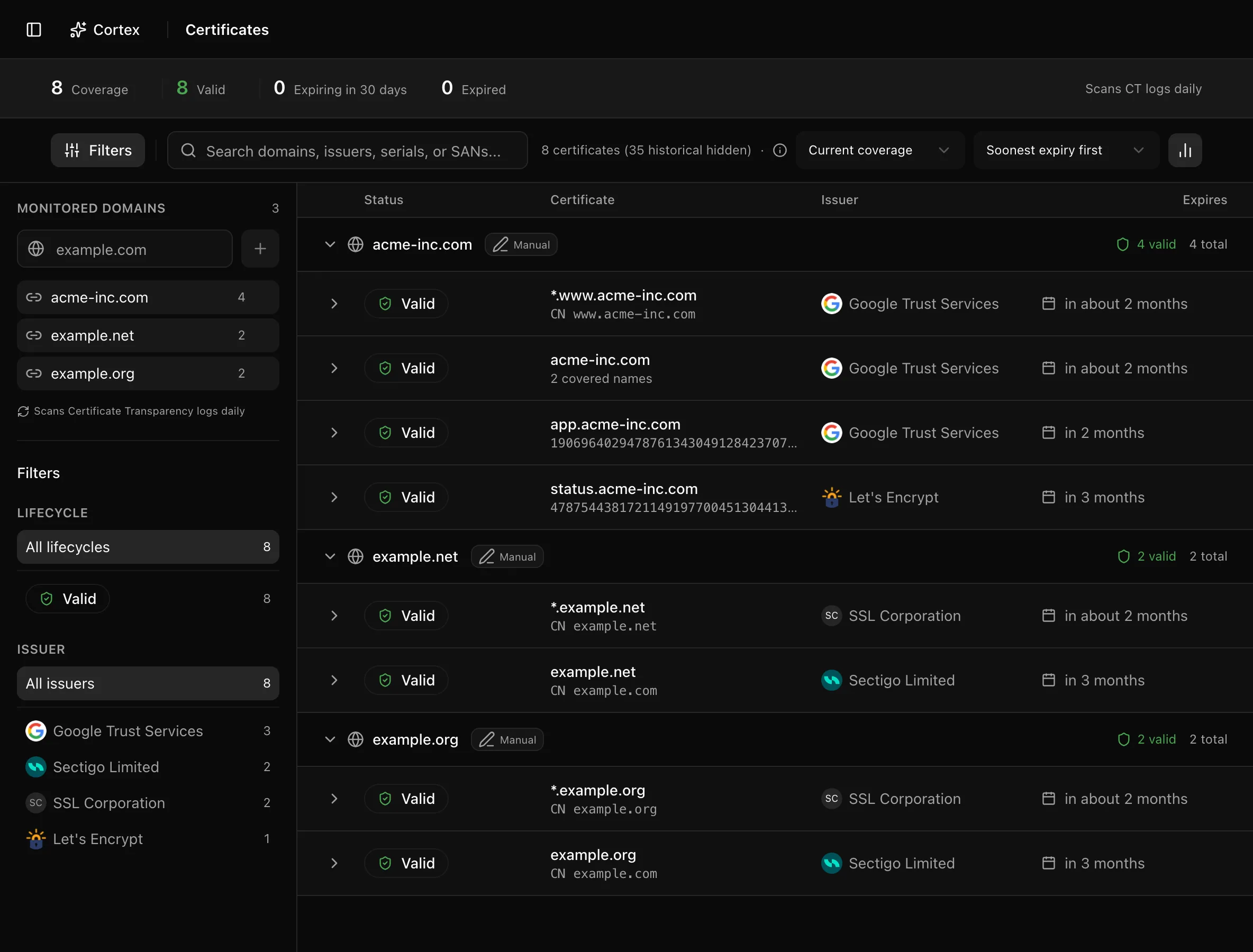
Certificates lists every TLS certificate that Certificate Transparency (CT) logs have recorded for the domains you monitor. Noru scans the logs once a day, works out which certificate currently covers each hostname, flags the ones that are expiring or expired, and writes one security finding per monitored domain so the expiry shows up wherever findings are triaged. It is an inventory of what has been issued, not a probe of what your servers serve.
Where to find it
SecurityCertificates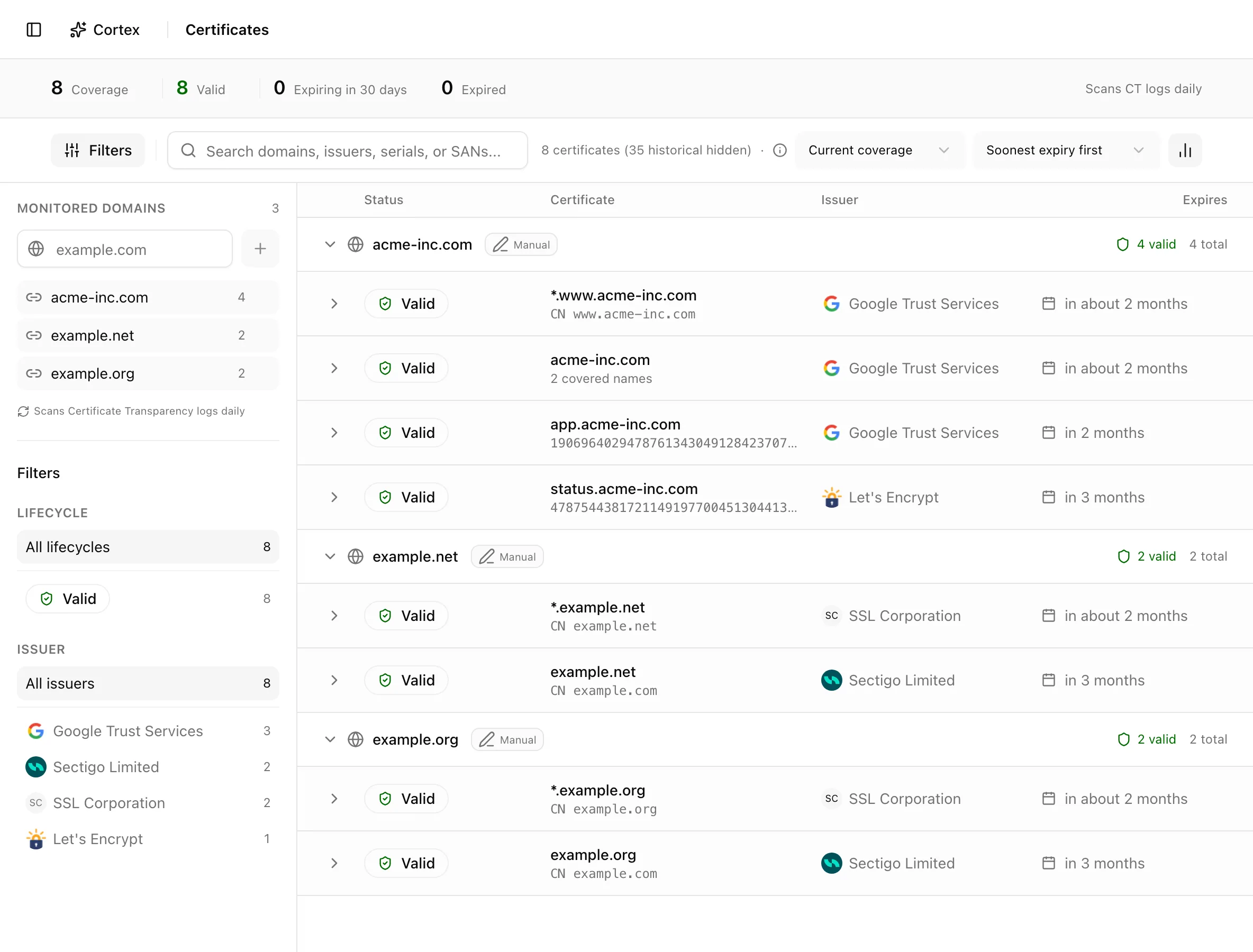
Key actions
Add a monitored domain
example.com field.Whatever you paste is normalised: the protocol, a leading www., and any
trailing path are stripped, so https://www.example.com/login becomes
example.com. Domains that arrive from a data source (for example AWS ACM,
GCP Cloud DNS, or Azure App Service) are marked as integration-managed and
cannot be removed here; the toast "This domain is managed by an integration"
tells you to remove them at the source instead.
Switch between current coverage and all CT records
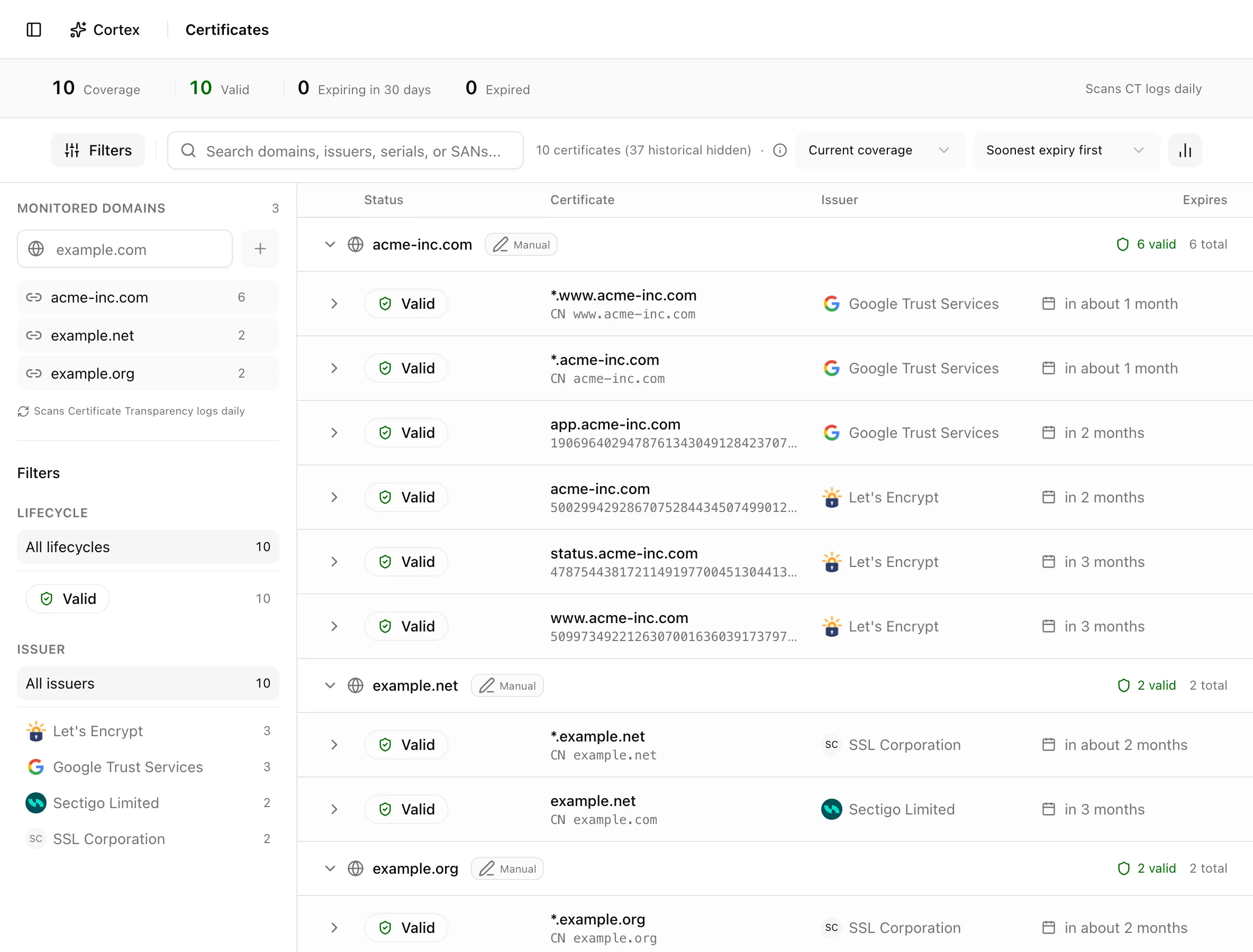
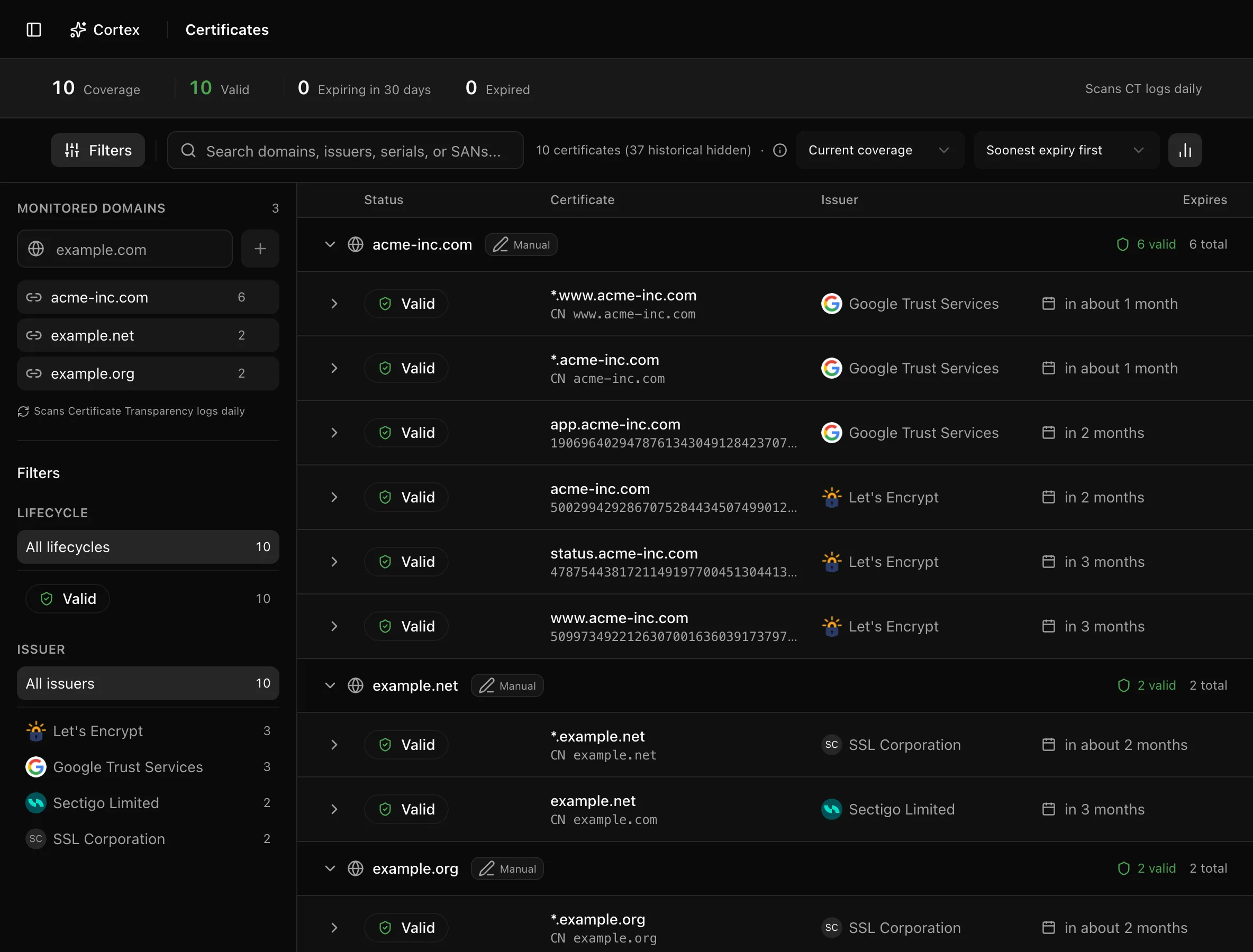
The first toolbar select offers Current coverage and All CT records. Current coverage shows only the certificate that currently covers each hostname; historical certificates are hidden and the count reads "N certificates (M historical hidden)". All CT records shows everything the logs returned, with superseded rows marked "Superseded by a newer certificate covering the same hostname." The insight strip switches with it: Coverage in the current view, CT records in the all view.
Filter and sort
Rows are grouped by monitored domain. A certificate that does not match any monitored domain lands under "Other".
Inspect a certificate
Click a row to expand it. The panel shows Subject CN, the names covering your domain, Lifecycle, Issuer, Valid from, Valid until, SHA-256 fingerprint, and Serial.
An expired certificate that no newer certificate has replaced shows the hint "No renewal covering this hostname has appeared in Certificate Transparency logs", with the number of days until Noru removes the entry (90 days after expiry). If the hostname is still live, that is your cue to renew.
Delete a record
Select one or more rows and click Delete. The Delete certificates dialog reminds you that certificates still present in CT logs reappear on the next scan; confirm or Cancel. Deleting is a way to clear a decommissioned hostname early, not a way to silence a live certificate.
Statuses and fields
| Status | Meaning | Set by |
|---|---|---|
Validvalid | More than 30 days until the notAfter date. | Daily certificate scan |
Expiring soonexpiring_soon | 30 days or fewer until expiry. Rows turn critical at 7 days or fewer. | Daily certificate scan |
Expiredexpired | Past notAfter. Kept for 90 days so you can see that no renewal appeared, then purged. | Daily certificate scan |
Each monitored domain also produces one finding (source Cert Scan), whose severity follows the soonest expiry:
| Situation | Severity | Finding title |
|---|---|---|
| Certificate already expired | Critical | Certificate expired |
| Expires in 7 days or fewer | Critical | Certificate expires in N days |
| Expires in 8–14 days | High | Certificate expires in N days |
| Expires in 15–30 days | Medium | Certificate expires in N days |
| No certificate found for the domain | High | No certificate observed |
| Covered with more than 30 days left | Finding auto-resolves | — |
Tips and gotchas
Add the apex domain, not each hostname. Wildcard certificates and SAN
entries count as coverage for every matching hostname, so one example.com
entry tracks api.example.com and *.example.com alike.
Deleting a record is not permanent. Anything still in CT logs comes back on the next scan, and the associated finding reopens unless it is Accepted, False Positive, or In Progress. Those three statuses survive a re-scan; every other status is reset to Open.
Removing the last data source that supplied a domain also removes the certificates that no remaining domain covers. If a domain appears both manually and from an integration, it stays until both sources are gone.
What Noru does not do
Noru reads Certificate Transparency logs; it does not connect to your servers. A certificate listed as valid may not be the one actually deployed, and a certificate that was issued privately (an internal CA, or a public CA that did not log it) will not appear. Noru does not renew certificates, and it cannot tell you which hostname is decommissioned versus misconfigured; the 90-day retention window is a heuristic, not a verdict.
Related
Last updated on