

Data sources
Every connector Noru supports, what each one asks for, what it collects, and how syncs behave.
A data source is a connection to a system you already run. Noru reads it on a schedule and turns what it finds into evidence, assets, personnel identities, security findings, certificate domains, and privacy signals. Nothing is written back: every connector is read-only, and the pages in this tab say exactly which reads each one performs.
Sync model
Frequencies, the sync button, what each status means, and what one run produces.
Permissions and security
How credentials are stored, what each authentication model can do, and what read-only really means per provider.
Troubleshooting
Connection failures, expired authorization, partial collection, stale evidence, mapping gaps.
Categories
| Category | What it feeds |
|---|---|
| Identity | Personnel directory, MFA and access evidence, third-party app grants |
| Cloud | Asset inventory, configuration and posture evidence, security findings, certificate domains |
| Code and work | Repository and project inventory, branch protection and CI evidence, vulnerability findings, imported policies |
| Security | Scanner findings, SIEM signals, monitor and audit evidence |
| Data | Workspace and database inventory, access-control evidence |
| People | HR records that drive personnel status and onboarding or offboarding evidence |
All providers
Each provider page follows the same shape: what is collected, what is not, what to prepare, the connect dialog step by step, and a permissions table that separates what a credential could reach from what Noru actually reads.
Where to find it
Data Sources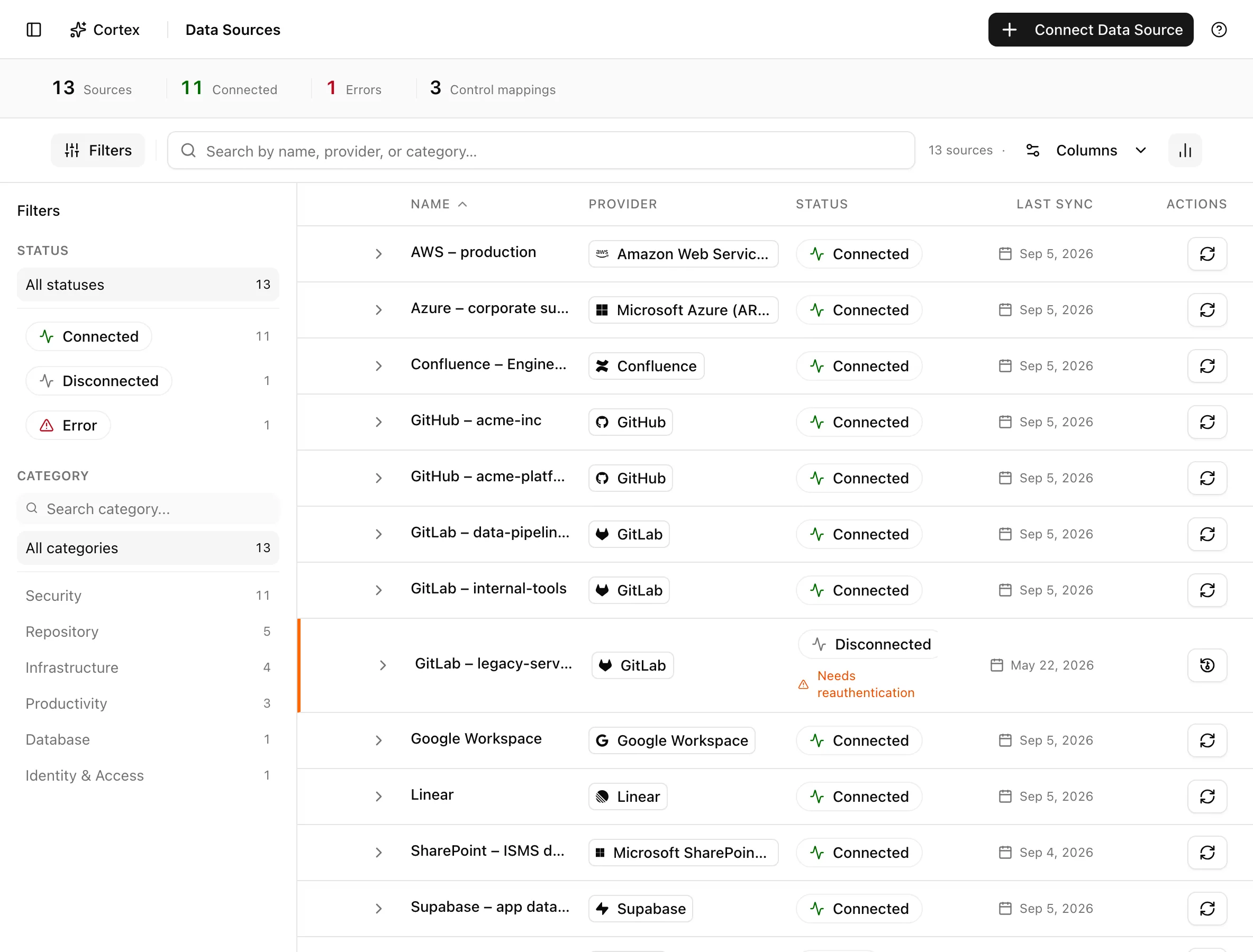
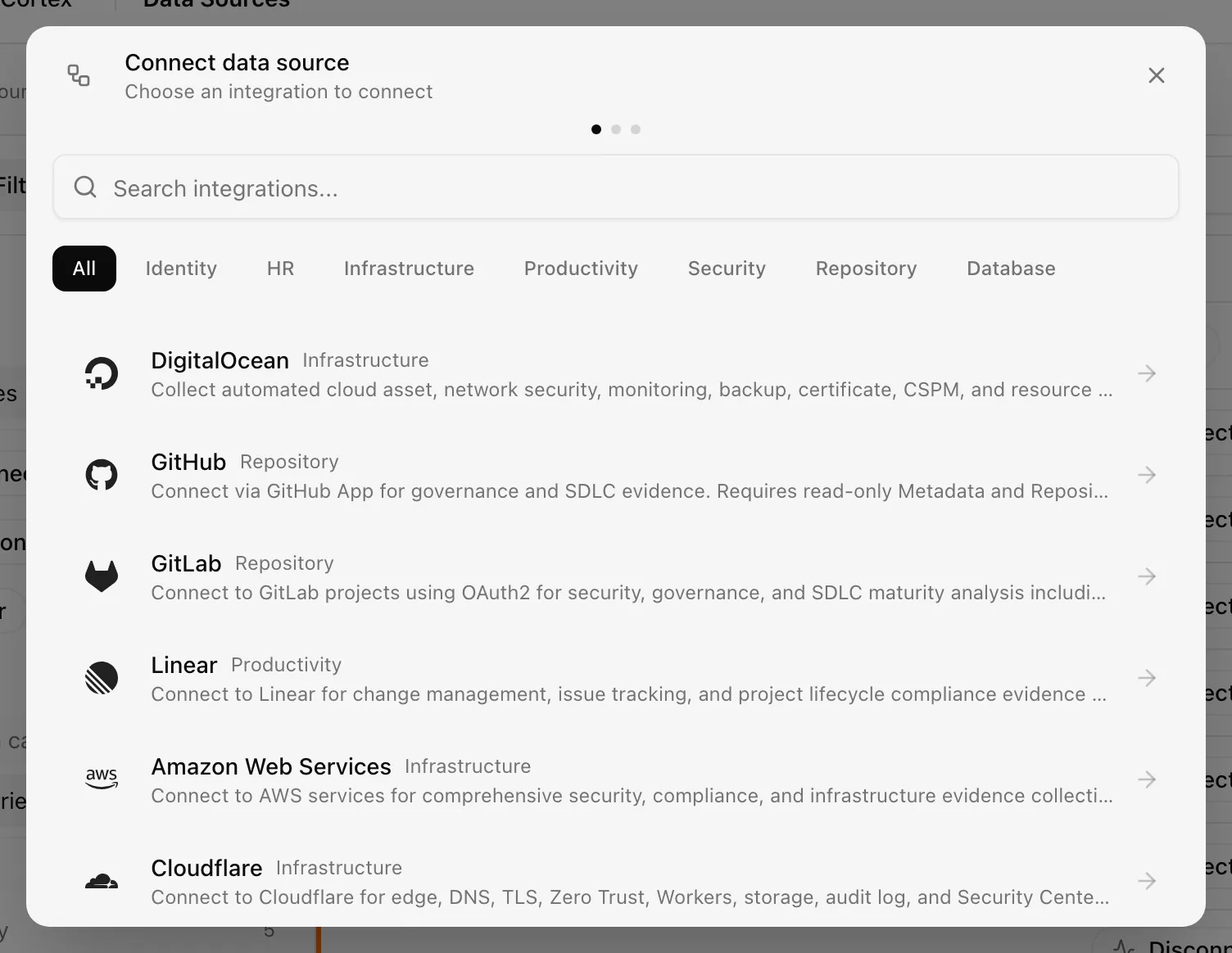
Click Connect Data Source to open the Connect data source dialog, pick a provider, and follow the provider-specific form. Clicking a row opens the detail drawer with evidence, sync history, and connection settings.
Admins and editors can connect, sync, reauthenticate, change the sync frequency, and delete a data source. Viewers can open the list, the drawer, the evidence, and the sync history but cannot change anything. See Roles and permissions.
Recommended connection order
- Identity first. Google Workspace or Microsoft Entra ID populates the people directory, so identities found later in GitHub, Cloudflare, or Databricks match a person instead of creating orphans.
- Cloud and code next. AWS, Google Cloud, Azure, GitHub, and GitLab produce the bulk of configuration evidence and the asset inventory.
- Security tooling. Datadog and Detectify add findings that would otherwise need to be entered by hand.
- Review what did not map. Every sync leaves some evidence without a control mapping. Open the evidence vault and link it, or accept that it is informational.
Popular tasks
- Connect GitHub with a scoped GitHub App installation
- Reconnect a disconnected source
- Change how often a source syncs
- Read what a provider can technically access
- Map evidence a sync left unmapped
- Deploy the AWS CloudFormation template
- Run the Google Cloud setup script
What Noru does not do
Connecting a system does not make it compliant; it makes the current configuration visible. A granted scope is not the same as collection: the permissions table on each provider page lists the reads Noru performs, and anything outside that list is not read even if the credential would allow it. A sync can prove that a setting had a value at a point in time. It cannot prove that a process is followed, that a review happened, or why a setting was chosen. Those remain your evidence to add. See the sync model for what a run does and does not produce.
Last updated on