

Microsoft SharePoint and OneDrive
Connect Microsoft SharePoint and OneDrive: delegated Graph scopes, the site and library you choose, the file metadata Noru reads, and the reach of Files.Read.All.
- Authentication
- OAuth
- Categories
- Productivity, Security
- Sync cadence
- Daily by default (hourly, weekly, or monthly on request)
- Requested access
https://graph.microsoft.com/User.Readhttps://graph.microsoft.com/Files.Read.Allhttps://graph.microsoft.com/Sites.Read.Alloffline_accessopenidprofile
SharePoint and OneDrive supply document-management evidence. You pick one site and one document library or folder; Noru walks that location and records item metadata, library configuration, and tenant sharing settings. It never opens a file.
What Noru collects
| Object | Source call | What it feeds |
|---|---|---|
| Sites | Followed sites, falling back to the first 50 from /sites | Site selection and site evidence |
| Files and folders under the selected location | Drive item listing, recursively: name, size, type, created and modified, web URL, created by, last modified by | Document-control evidence (up to 1000 items) |
| Document libraries | Per site | Library configuration evidence |
| Tenant sharing settings | /admin/sharepoint/settings; a 403 stores nothing rather than a guess | Sharing-policy evidence |
Defaults: sites, OneDrive files, document libraries, and security settings on; audit logs off; maximum 1000 files.
What Noru does not collect
- File contents. Noru never requests file content.
- Per-file permission lists. The Include File Permissions option currently has no effect; permission lists are not collected.
- Audit logs. The Include Audit Logs option is off by default, and this
connector does not hold the
AuditLog.Read.Allscope, so turning it on collects nothing. Treat audit logs as not collected. - Anything outside the selected site, library, or folder.
- Noru never writes to SharePoint or OneDrive.
Before you connect
- A Microsoft account with access to the site you want. Visibility is the connecting user's, so pick an account that can see the target library.
- Admin consent for the
.Allscopes. A Global Administrator or Cloud Application Administrator must consent for the tenant on first connection. - A decision on scope: one connection covers one site and one library or folder. Connect again for another location.
Files.Read.All lets the token read every file the consenting user can
reach, across all sites and OneDrives, not just the selected library. Noru
only reads the location you pick, and metadata only, but the grant itself
is tenant-wide for that user. Connect with an account whose
own access matches what you are comfortable delegating.
Connect
/data-sources and click Connect data source.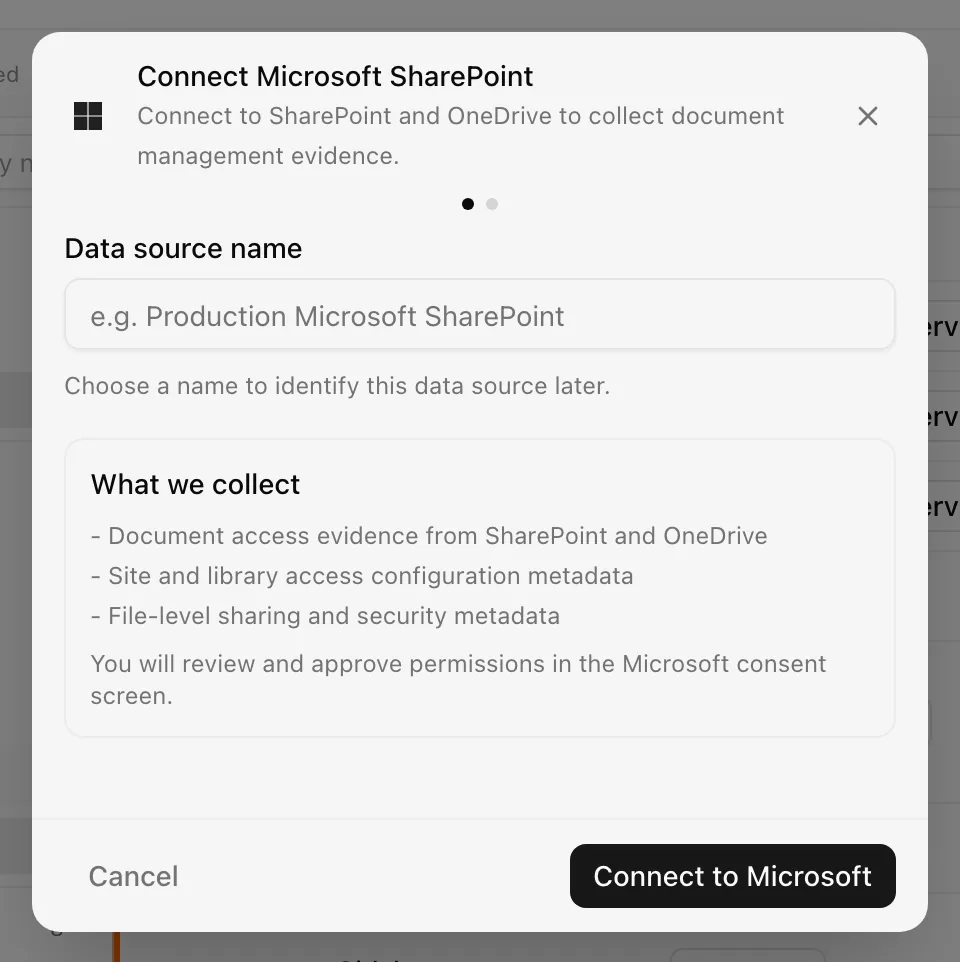
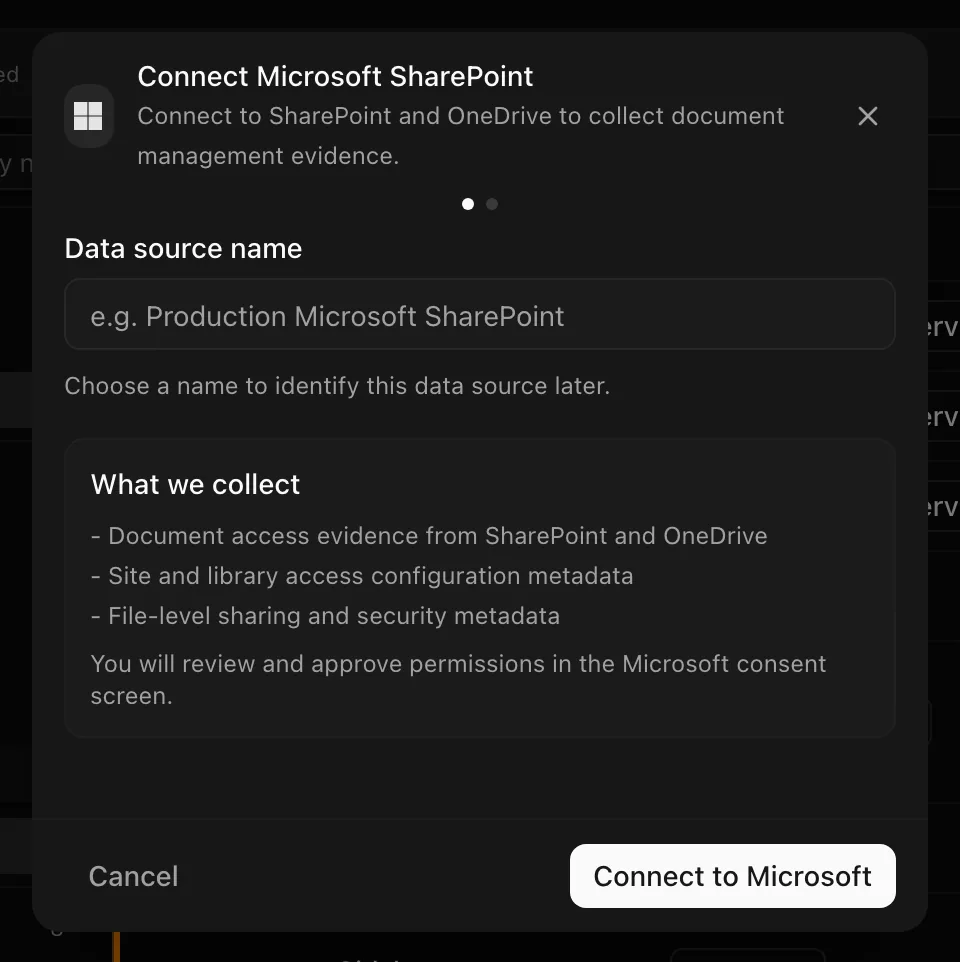
Choose your own Data source name. The example text is a placeholder, not a saved value. See Naming and using connection dialogs for naming, scrolling, and closing behavior.
Noru stores the selected site, library, and folder with the connection.
After connecting
Each sync re-walks the selected location, refreshes library and sharing
evidence, and maps it to document-control and sharing controls. Tokens refresh with offline_access; reconnect only when
consent is revoked or scopes change.
Permissions in detail
| Scope | Why Noru asks | What it could technically allow |
|---|---|---|
User.Read | Identify the connecting user | Read that user's profile |
Files.Read.All | List items in the selected library | Read all files the user can access, including content, in every site and OneDrive |
Sites.Read.All | List sites and document libraries, read sharing settings | Read all site collections the user can access |
offline_access, openid, profile | Token refresh and sign-in identity | Standard OpenID Connect |
Every scope is delegated and read-only. There is no Graph scope that limits file reads to a single library, which is why the callout above exists.
Troubleshooting
| Symptom | Cause and fix |
|---|---|
| "Microsoft SharePoint permissions are insufficient or expired. Reauthenticate and grant the required read-only permissions." | Consent lapsed or was partial. Reconnect and accept every scope |
| No sites in the select | The user follows no sites and has no site access, or the /sites fallback returned nothing. Follow the site in SharePoint or connect with a user who can see it |
| Consent screen says admin approval is required | The .All scopes need tenant admin consent. Ask an admin to connect or to grant consent for Noru first |
| "No Microsoft SharePoint data collected…" | Every collection call failed, usually a 403 on the selected site. Check the sync log |
| Sharing settings evidence is empty | The user is not a SharePoint admin; /admin/sharepoint/settings returned 403 and Noru stored nothing |
| Item count stops at 1000 | The maximum-files cap. Pick a narrower folder |
Related
- How syncs run
- Permissions and security
- Troubleshooting data sources
- Microsoft Entra ID
- Google Drive for the file-scoped alternative
- Evidence vault
Last updated on