

GitHub
Connect GitHub: authentication, permissions, what Noru collects, and troubleshooting.
- Authentication
- GitHub App
- Categories
- Repository, Security
- Sync cadence
- Daily by default (hourly, weekly, or monthly on request)
- Requested access
Metadata: ReadAdministration (repository): ReadPull requests: ReadIssues: Read and writeActions: ReadCode scanning alerts: ReadSecret scanning alerts: ReadDependabot alerts: ReadRepository security advisories: ReadMembers: ReadAdministration (organization): ReadSelf-hosted runners: ReadProjects: Read
Noru connects to GitHub as a GitHub App installed on your organization. You choose which repositories the installation covers, and Noru mints a short-lived installation token for each sync. The App never requests the Contents permission, so it cannot read source code.
Evidence collection only reads. The one write permission is Issues, and Noru uses it only if an admin chooses GitHub as the organization's task tracker and confirms it (see Creating tickets). It never changes code, branches, or repository settings.
Looking for privacy scanning?
This page covers the compliance evidence connector. Building a privacy data map from your code uses a separate privacy GitHub App that reads the repositories you select. See Bring your privacy data into Noru.
What Noru collects
| Evidence type | Evidence | Read from |
|---|---|---|
| Repository | GitHub Repository, one per repository | Repository details |
| Policy | GitHub Access Control (collaborators and teams); GitHub Repository Settings (default branch protection) | Collaborators, teams, branch rules |
| Scan result | GitHub Security Scanning, only when alerts exist | Code scanning and Dependabot alerts |
| Configuration | GitHub Security Configuration | Whether secret scanning is on or off |
| Procedure | Workflow Automation; Pull Request Workflow | Workflow runs, pull requests |
| Log | Issue Tracking | Issues |
Each repository becomes an asset with the external id github:repo: plus its
full name. Collaborator emails become personnel identities in the
people directory. Findings cover
Dependabot and code scanning alerts plus derived checks: public repositories
(medium), repositories without CI/CD workflows (low), unprotected default
branches (high). Evidence maps to IAM, asset, secure lifecycle, change,
vulnerability, and configuration management controls.
What Noru does not collect
- File contents. The App does not request Contents and no contents call is made.
- Branches. Listing them needs Contents, so it is skipped deliberately.
- Secret or variable values, and the contents of secret-scanning alerts. Only the on or off status of secret scanning is stored.
- Organization membership. No organization-level calls are made.
The App also requests permissions the sync never uses: Secret scanning alerts, Repository security advisories, and the organization-level Members, Administration, Self-hosted runners, and Projects. You are granting more than Noru reads.
Before you connect
- Owner permission on the GitHub organization, or an installation approval from an owner.
- A decision on which repositories to include. You can pick all or a subset on GitHub's install screen.
- Popups allowed for the Noru app origin.
- Admin or editor role in Noru.
Connect
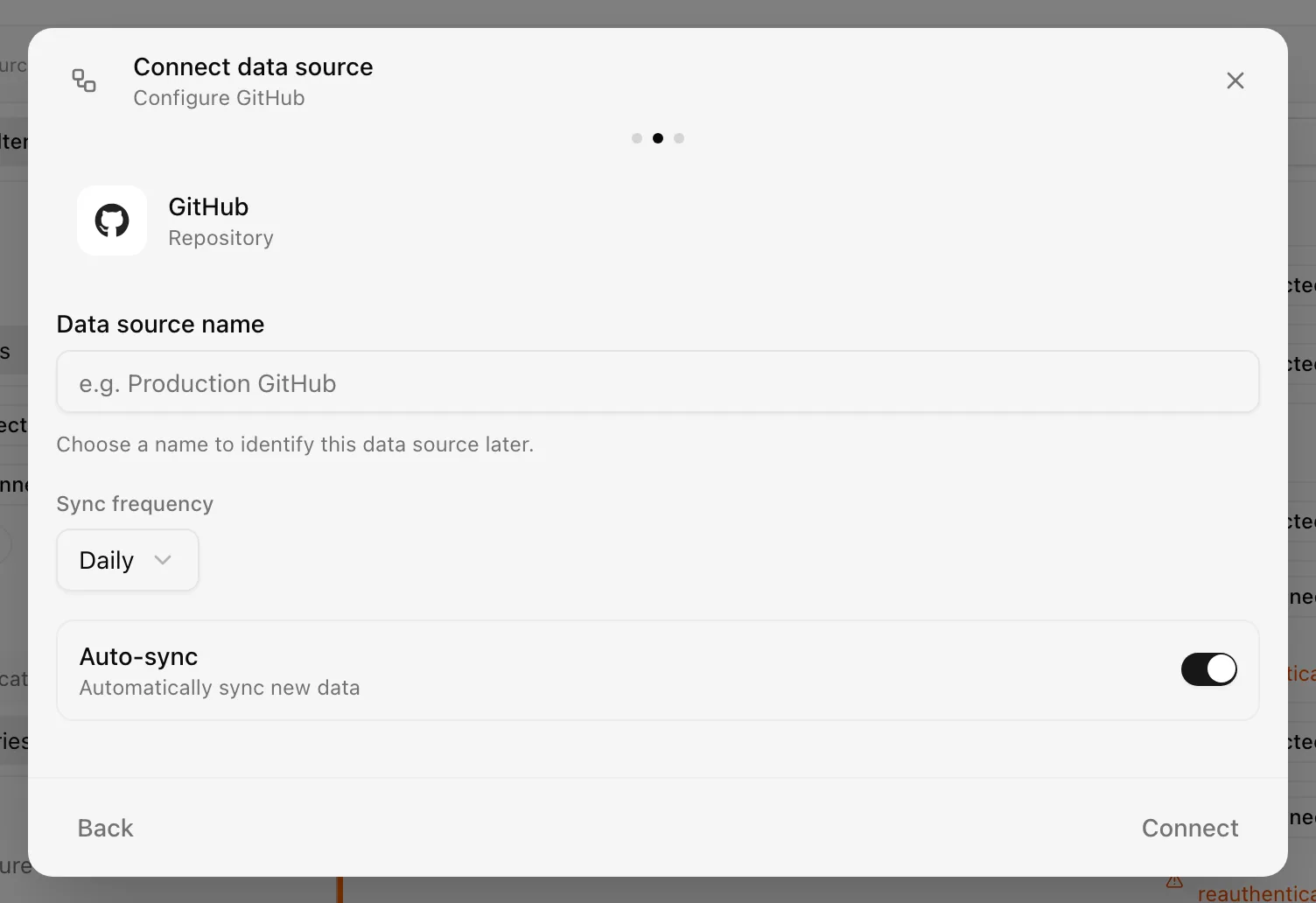
Choose your own Data source name. The example text is a placeholder, not a saved value. See Naming and using connection dialogs for naming, scrolling, and closing behavior.
The GitHub user token used for that verification is not persisted. The resulting integration is named "GitHub - Noru Collector" and syncs daily, regardless of what you typed in Data source name and Sync frequency; rename it and change the frequency from the detail drawer afterwards.
After connecting
The first sync reads every repository the installation covers; changing the selection on GitHub is picked up on the next sync. Findings land in Findings and assets in Assets. If the App is uninstalled, the next sync marks the source Disconnected with "GitHub App installation not found. The app may have been uninstalled from the organization."
Permissions in detail
| Permission | Why Noru needs it | What it could technically allow |
|---|---|---|
| Metadata: Read | Repository list and details | Read repository metadata for every covered repository |
| Administration (repository): Read | Collaborators, teams, branch rules | Read repository settings and access lists |
| Pull requests: Read | Pull request workflow evidence | Read all pull requests, including descriptions |
| Issues: Read and write | Issue tracking evidence; creating tickets for security findings, only if you choose GitHub as your task tracker | Read all issues and comments, and create, edit, comment on, and close issues |
| Actions: Read | Workflow runs | Read workflow run history and logs metadata |
| Code scanning alerts: Read | Security scanning evidence and findings | Read every code scanning alert |
| Dependabot alerts: Read | Security scanning evidence and findings | Read every Dependabot alert |
| Secret scanning alerts: Read | Not used by the sync | Read secret scanning alert contents |
| Repository security advisories: Read | Not used by the sync | Read draft advisories |
| Members, Administration (organization), Self-hosted runners, Projects: Read | Not used by the sync | Read organization members, settings, runners, and projects |
Collaborator emails are resolved through the users endpoint with the installation token, which returns only what each user has made public.
Creating tickets (optional)
Noru can create a GitHub issue for a security finding or an evidence item, comment on it when a finding's severity changes, and, if you turn it on, close issues it created. This is off until an admin opens SettingsTask tracker (once GitHub is connected here), picks a repository, and confirms that Noru may create and comment on issues. Nothing is written to GitHub before that. Noru works with one task tracker at a time.
Because the App is shared with evidence collection, GitHub treats the Issues write permission as an update to the installation:
- If you installed the App before this permission existed, your installation keeps its read-only access, and evidence collection keeps working, until an owner of the GitHub organization approves the updated permissions. The Task tracker settings show "Waiting for approval" with a Reconnect via GitHub button. The status updates by itself once an owner approves it.
- New installations are shown the Issues write permission on GitHub's install screen along with the others.
Only issues in the repository you choose are written to.
Troubleshooting
- "Popup blocked. Please allow popups for this site." Allow popups and retry.
- "Installation window closed. Please try again if the installation did not complete." The popup closed before GitHub confirmed the installation.
- "GitHub installation is already connected to another organization" means this installation id belongs to a different Noru organization; install the App on a separate GitHub organization or delete the other connection.
- "You do not have access to this GitHub installation" means the signed-in GitHub user cannot see the installation; sign in as an organization owner.
- "No repositories available for sync. Please check your GitHub App installation." The installation covers zero repositories.
- "GitHub has not approved issue access for the Noru app yet." Tickets cannot be created until an owner of your GitHub organization approves the App's updated permissions. Use Review in GitHub in SettingsTask tracker.
Related
Last updated on