

Organization context
Reusable background that Cortex and generated content rely on.
What it is
The Context tab is a structured questionnaire about how your company operates: how it is governed, how people work, which tools they use, where data is hosted, and what kinds of data you handle. The answers are stored as your organization's context. Cortex reads them when it answers questions, and policy and risk generation use them to tailor output. Filling this in once saves you from repeating the same background in every prompt.
Where to find it
SettingsContext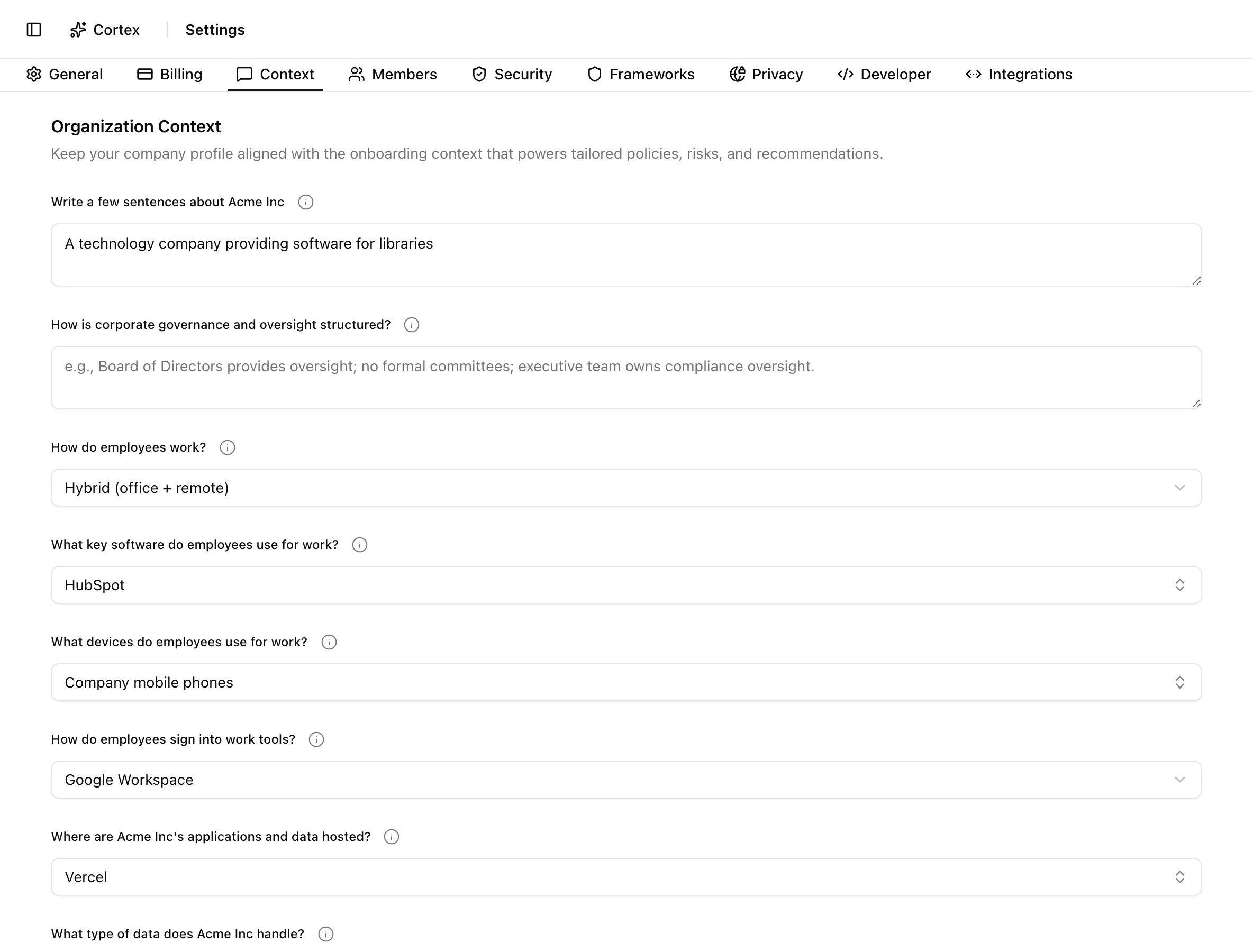
If the organization has no context at all, a Complete your profile banner appears in the sidebar with the text "Help us understand your organization to provide better compliance automation." It opens the same questions in a Complete Your Company Profile dialog.
Key actions
Save the company profile
Answer the nudge instead
Click Complete your profile in the sidebar, answer at least one question, and click Save. Saving with nothing filled in shows "Please answer at least one question". Cancel closes the dialog and keeps the banner.
Statuses and fields
| Question | Type | Options |
|---|---|---|
| Write a few sentences about your company | Free text | |
| How is corporate governance and oversight structured? | Free text | |
| How do employees work? | Single select | Fully remote; Hybrid (office + remote); Office-based; Field-based (client sites) |
| What key software do employees use for work? | Multi select plus Other | Common SaaS tools |
| What devices do employees use for work? | Multi select | Laptop, phone, and similar categories |
| How do employees sign into work tools? | Single select | Google Workspace; Microsoft 365 / Azure AD; Okta; Auth0; Email/Password only; Single Sign-On with MFA; Other |
| Where are your applications and data hosted? | Multi select plus Other | Cloud providers and on-premises |
| What type of data does your company handle? | Multi select | Data categories such as personal, financial, health |
Tips and gotchas
Saving replaces everything
The footer says it: "Saving here replaces the current organization context rows with this structured profile." Every save deletes the existing rows and writes the form as a whole. Do not clear a field expecting the old answer to survive.
Keep secrets out
Context is sent to the model behind Cortex and generation jobs as plain text. Nothing in Noru redacts it. Describe systems and practices, but do not paste credentials, customer names, or contract terms.
Specific beats long. "Engineering uses GitHub with required reviews; access is via Okta with MFA" gives Cortex more to work with than a paragraph about culture. Revisit the profile after a reorganization or a tooling change so generated policies stop describing the old setup.
What Noru does not do
Noru does not verify any answer against your connected data sources, and it does not update the profile when a sync discovers a new tool. It also does not use the profile to change control scope: frameworks and controls come from the Frameworks tab. The profile shapes wording and recommendations, not obligations.
Related
Last updated on