

Records of processing
Maintain the RoPA, complete legal bases and retention, and export the Article 30 document.
What it is
Records is your register of processing activities. Each record starts from what the data map observed (system, data use, categories, subjects) and is completed by a person: purpose, lawful basis, recipients, transfers, retention, security measures, and approval. The register feeds the Article 30 document, the assessments queue, and the overview's readiness figures.
Where to find it
PrivacyRecords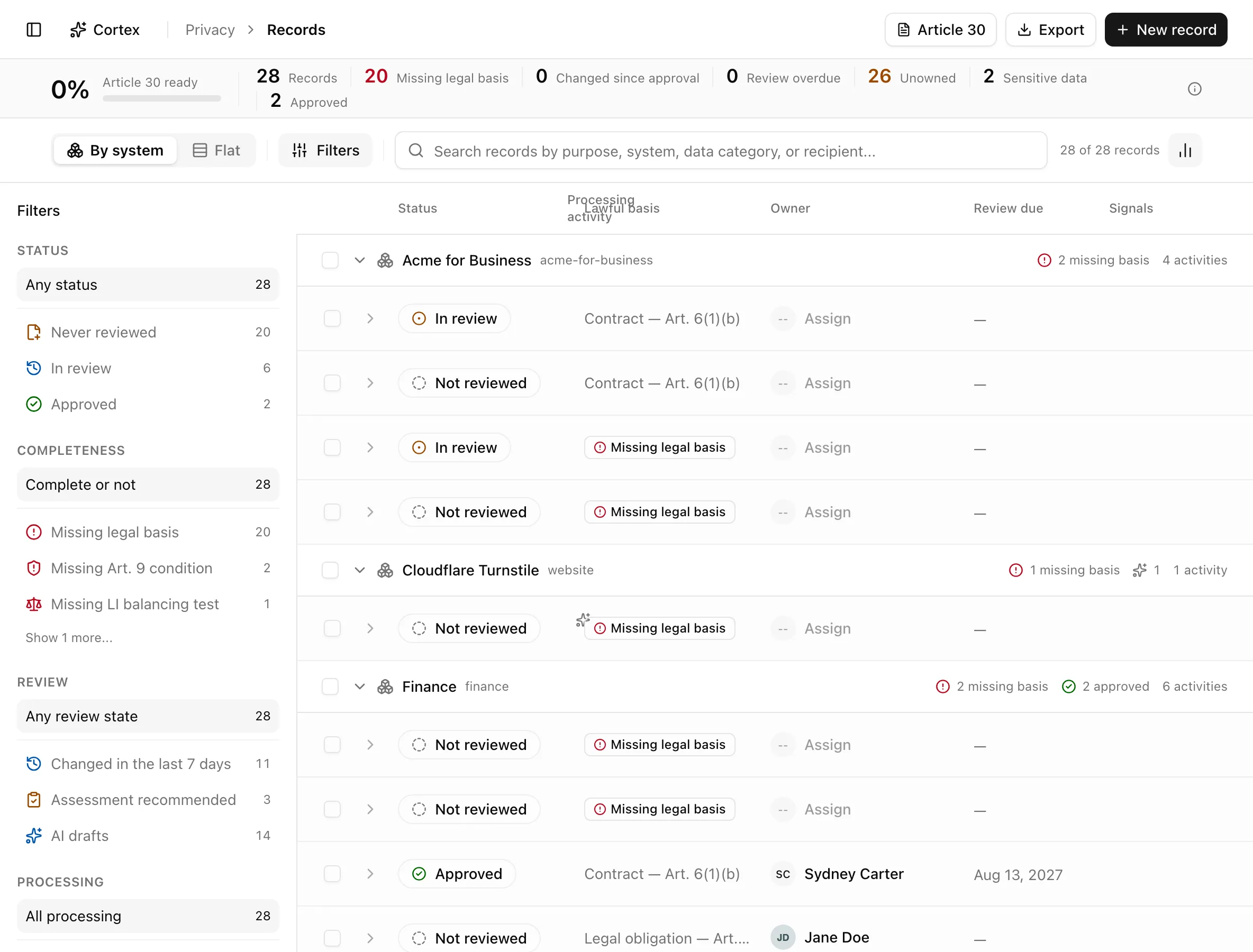
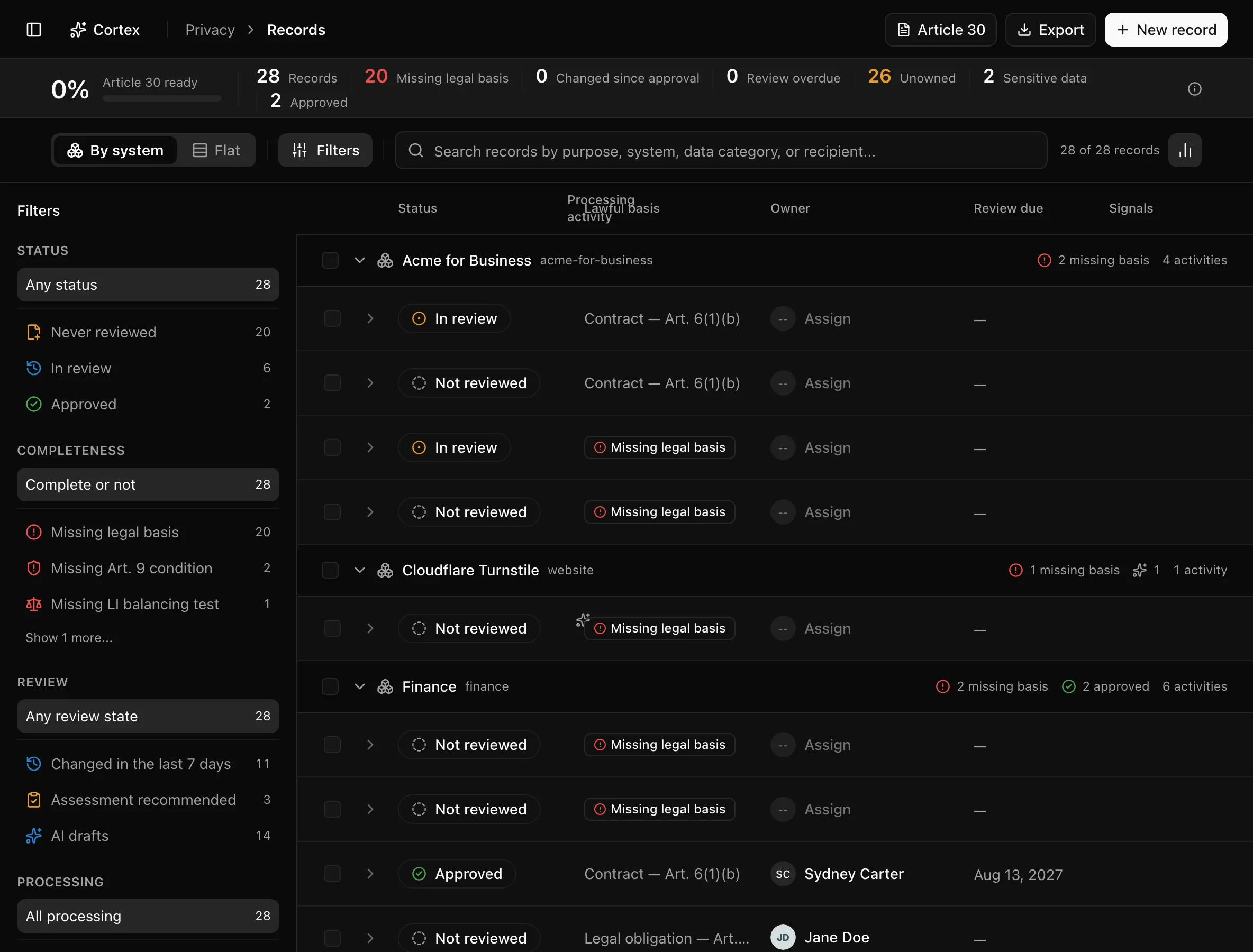
The insight strip shows Article 30 ready, Records, Missing legal basis, Changed since approval, Review overdue, Unowned, Sensitive data, and Approved. The header holds Article 30, Export, and New record (editors). Group By system or Flat. Columns are Status, Processing activity, Lawful basis, Owner, Review due, and Signals; expanding a row shows Personal data, Data subjects, Recipients, Lawful basis, Retention, Transfers, Assessment, and Purpose.
Sidebar filters combine across sections and stack in ?filter=:
| Section | Options |
|---|---|
| Status | Never reviewed, In review, Approved, Changed since approval, Article 30 ready |
| Completeness | Missing legal basis, Missing Art. 9 condition, Missing LI balancing test, Missing a mandatory field |
| Review | Review overdue, Review due in 30 days, Changed in the last 7 days, Assessment recommended, AI drafts |
| Processing | Sensitive data, Cross-border transfers, Profiling or automated decisions, Sale or sharing, Targeted ads, Processor records |
| System, Owner | ?system=, ?owner=, and an Unowned chip |
?activity=[id] opens a record's drawer directly.
Key actions
Editing needs the editor or admin role.
Complete a record
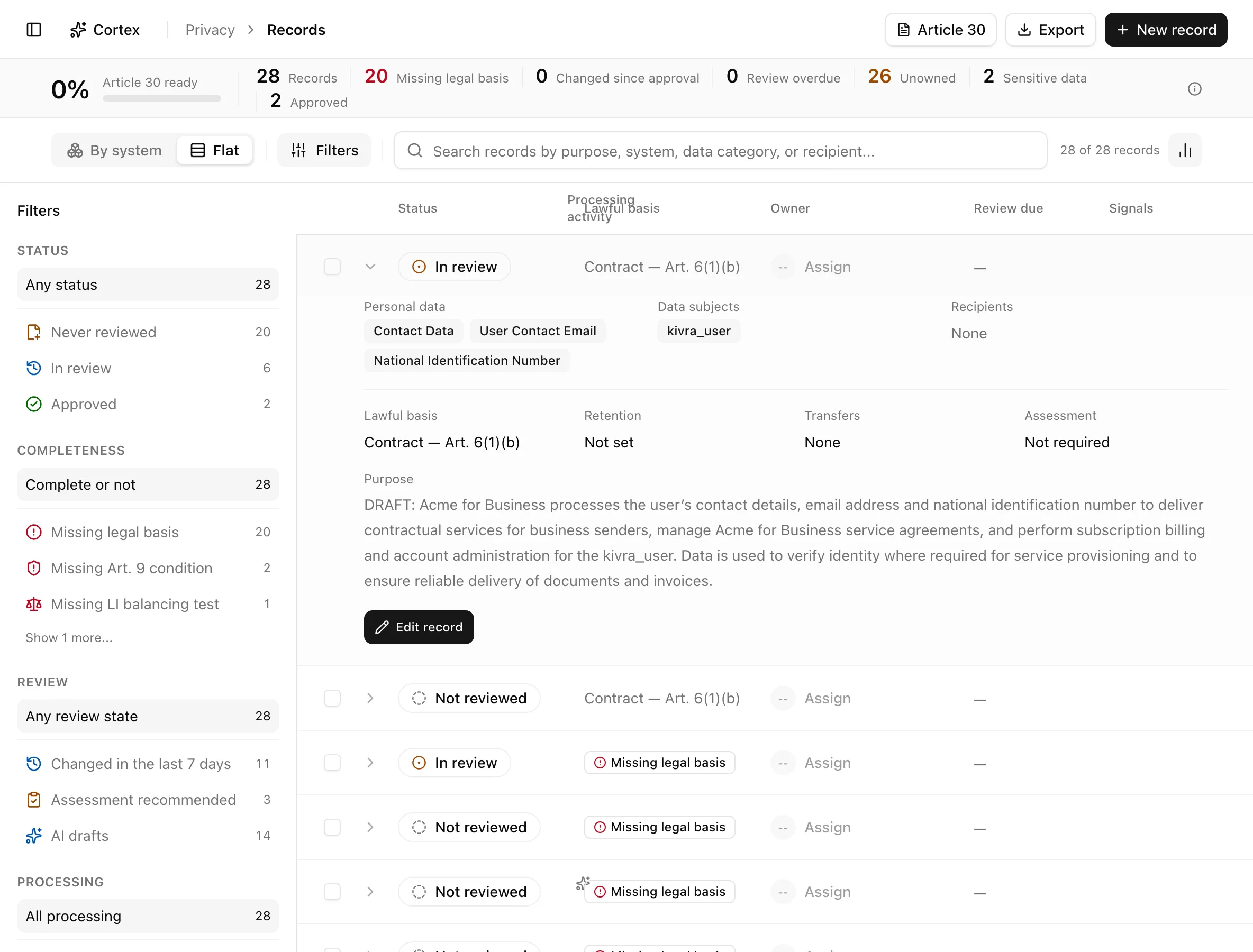
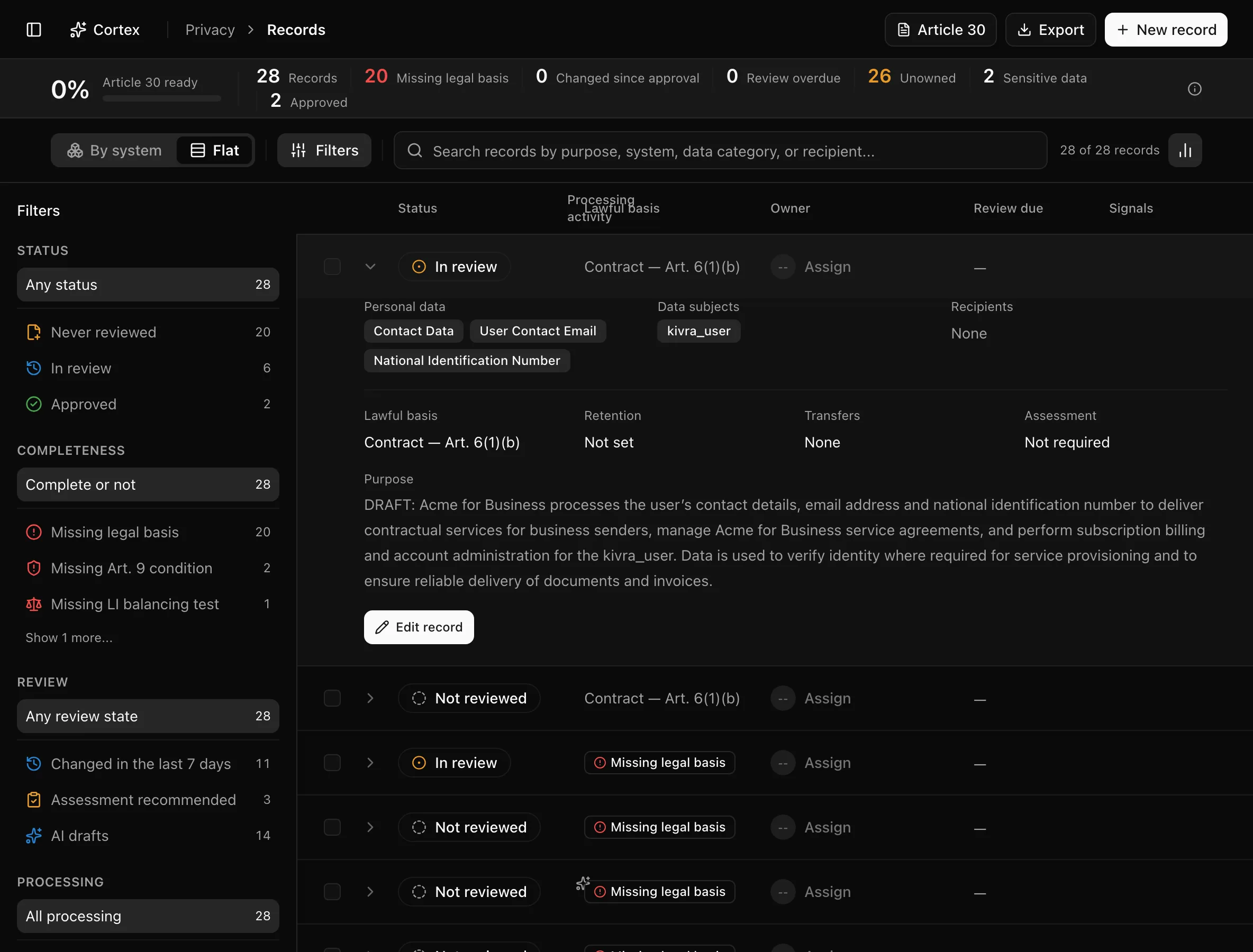
The option lists are fixed: lawful bases from Consent — Art. 6(1)(a) to Legitimate interests — Art. 6(1)(f); Article 9 conditions (a) to (j); data origins Collected from the data subject, Received from a third party, Public source, Derived or inferred; transfer mechanisms Adequacy decision (Art. 45), Standard contractual clauses (Art. 46), Binding corporate rules (Art. 47), Derogation (Art. 49), Other safeguard; retention units Days, Months, Years, Indefinite, Until an event.
Approve a record
Set Status to approved. If gaps remain, Noru asks "Approve with N open gaps?" and offers Approve anyway; the stamp reads "Approved" with the name and date. When the facts later change, the drawer shows a panel with Re-approve and Send back to review, and the row carries Changed since approval.
Accept or dismiss an AI draft
When enrichment has run, the drawer shows a draft panel with per-field proposals: Lawful basis (GDPR Art. 6), Art. 9 condition (GDPR Art. 9(2)), Legitimate interests balancing test, Purpose narrative, Assessment decision, Retention (GDPR Art. 30(1)(f)), International transfers (GDPR Art. 30(1)(e)), and Status. Accept the fields you agree with ("Selected AI fields applied") or dismiss the draft.
Create a record by hand
New record asks "What processing does this record describe?", a purpose, and chips for System, Data use, and Lawful basis (No lawful basis yet is allowed). A special-category data use warns that an Art. 9 condition will be required. Click Create record.
Update many records
Select rows and use the bulk bar: Lawful basis, Role, Review due (In 6 months, In 12 months, In 24 months), Status, and Owner (or Unassigned).
Export the register
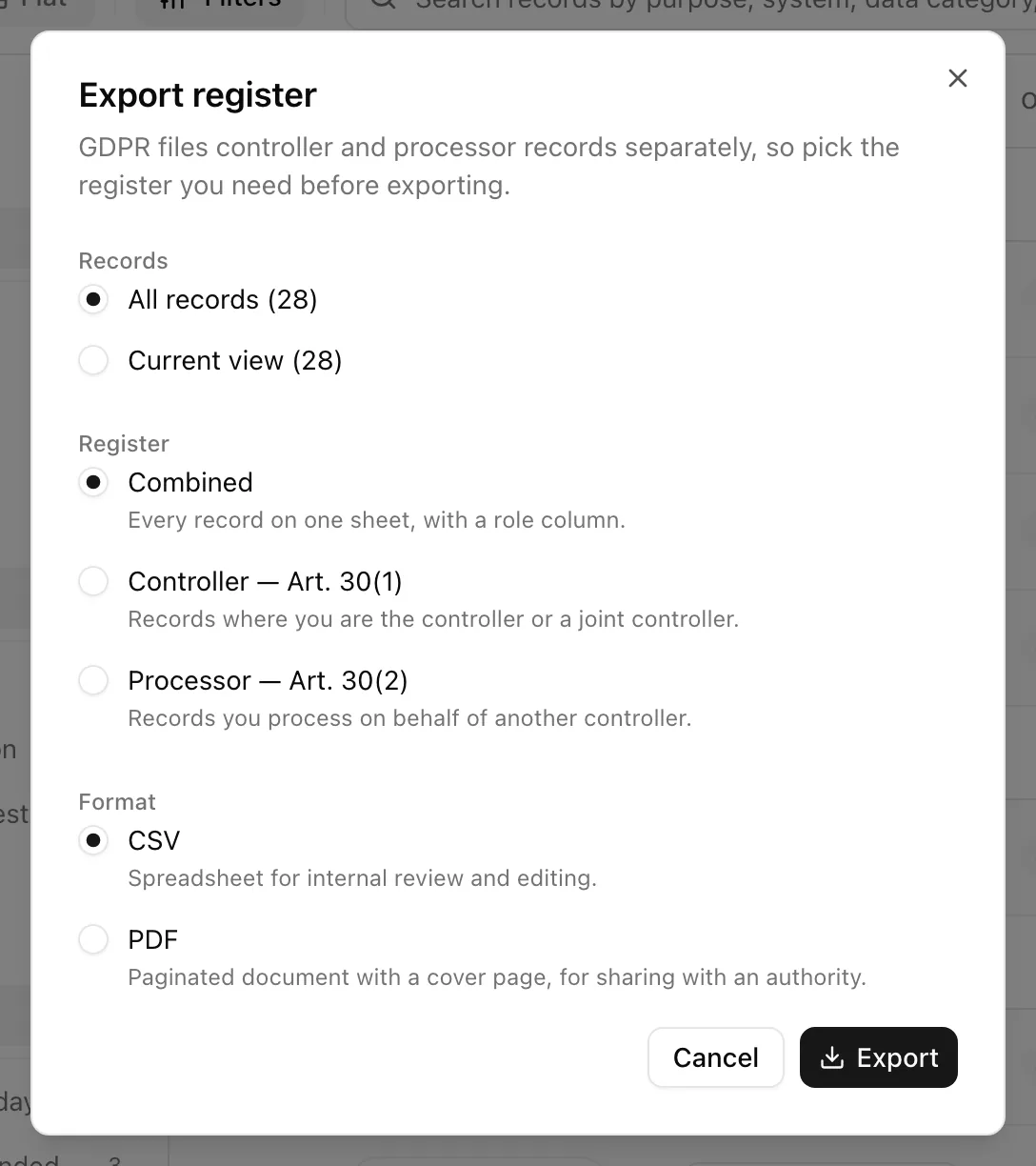
Read the Article 30 document
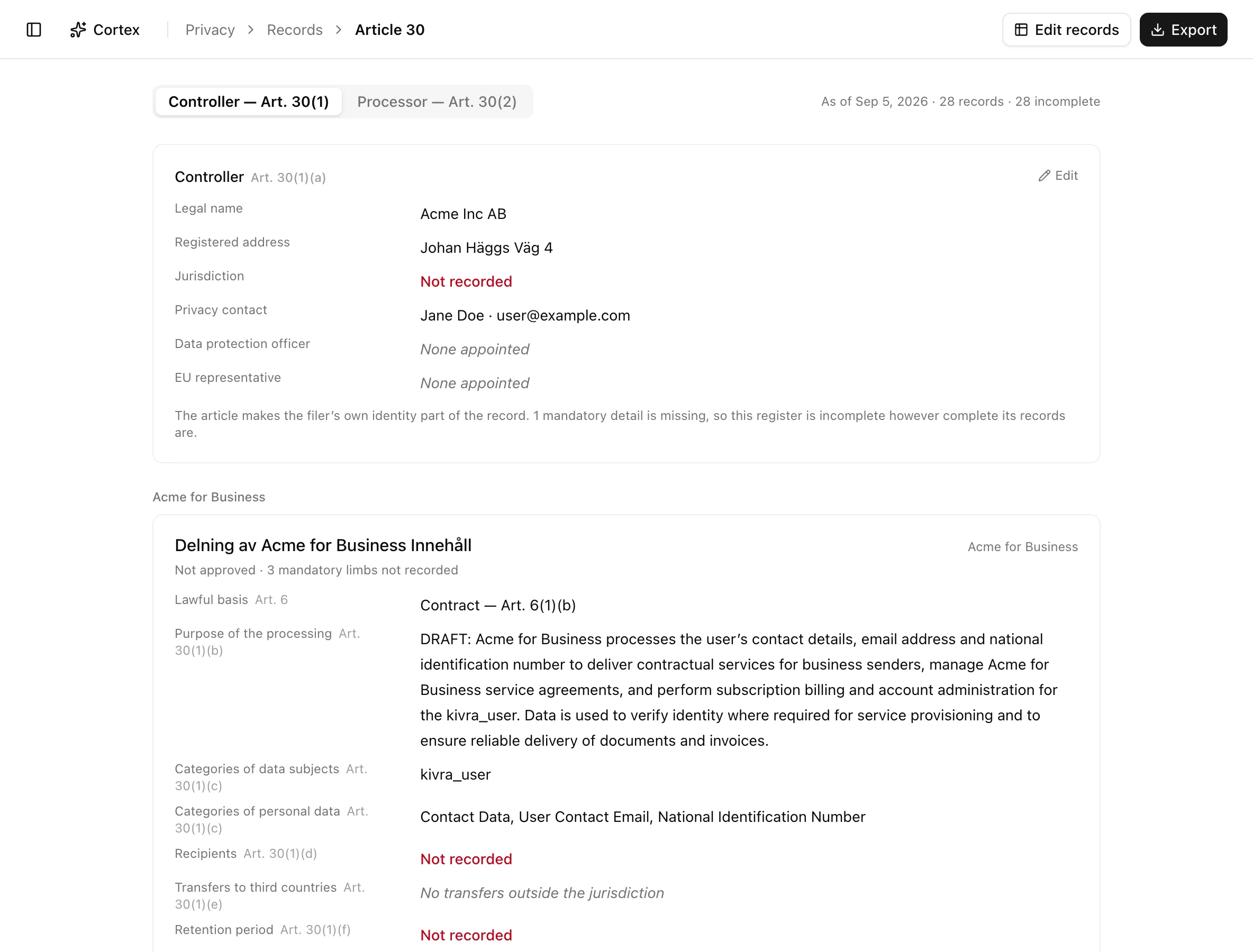
Article 30 opens /privacy/ropa/article-30, a segmented Controller —
Art. 30(1) / Processor — Art. 30(2) view. The header prints Legal
name, Registered address, Jurisdiction, Privacy contact, and
Data protection officer from Privacy settings;
each record prints its purpose, data subjects, personal data, recipients,
transfers, retention, security measures, and, for processors, the controller
acted for. Missing limbs read "Not recorded" in red; unapproved records are
marked "Not approved".
Statuses and fields
| Status | Meaning | Set by |
|---|---|---|
Not reviewedderived | Built from the data map; nobody has looked at it. | Data map ingestion |
In reviewin_review | Someone is completing it. | You, or Start review in the inbox |
Approvedapproved | A reviewer signed it off with the current facts. | You |
Article 30 ready means approved, no completeness gaps, review not overdue, and no change since approval. Row badges add Changed since approval, Missing legal basis, Sensitive, and an "AI draft awaiting review" mark.
Tips and gotchas
Filter to Missing a mandatory field before an export. The same limb check decides both the red "Not recorded" lines and the readiness figure.
Approve anyway records an approval with known gaps. The record counts as approved but not as Article 30 ready, and the gaps still print as "Not recorded".
What Noru does not do
Noru does not choose a lawful basis for you. AI drafts are proposals, and observed facts from the data map describe what the code does, not whether it is lawful. The export prints what the register says; it does not validate it against a regulator's template.
Related
Last updated on