

Privacy overview
The privacy plan and overview: priorities, queues, and where each privacy record lives.
The Privacy section turns what your connectors, codebases, and website scans observe into a register you can defend: an inbox of decisions, a data map, records of processing, assessments, and site monitoring. This hub lists each page and the tasks people come here for most.
Inbox
Decide on changed approvals, register drift, new processing, connector proposals, and AI drafts.
Connected apps
Every OAuth grant your identity provider has observed, ranked by the personal data it can reach.
Data map
Systems, datasets, activities, purposes, categories, and subjects built from the manifests your engineers push.
Work with an agent
Prepare a privacy map, review its evidence, and publish accepted decisions.
Bring your privacy data into Noru
Send privacy information from your environment without giving Noru code access, or choose connected scanning.
Records of processing
The RoPA: lawful bases, retention, transfers, approval, and the Article 30 export.
Assessments
DPIA-style working papers with screening criteria, decisions, and referenced risks and evidence.
Monitoring
Daily privacy scans of your public sites: banners, cookies, trackers, GPC, and transport.
Privacy settings
Controller details, the security-measure catalog, data-subject regions, and covered regulations.
Popular tasks
- Choose how to bring privacy data into Noru: GitHub scanning, GitLab CI or GitHub Actions, or a local API request
- Watch a site and read its first scan
- Clear the inbox before a review
- Export the Article 30 register as CSV or PDF
- Choose the regimes you assess against
Who sees it
The Privacy group in the sidebar appears only for organizations on the
Privacy customer segment; direct URLs under /privacy return a 404 for
everyone else. Every page is readable by viewers. Editors and admins make
decisions and edit records; only admins change Privacy settings.
Organizations that are privacy-only see a Privacy plan item at the top of
the sidebar in place of the compliance dashboard.
The overview at a glance
PrivacyOverview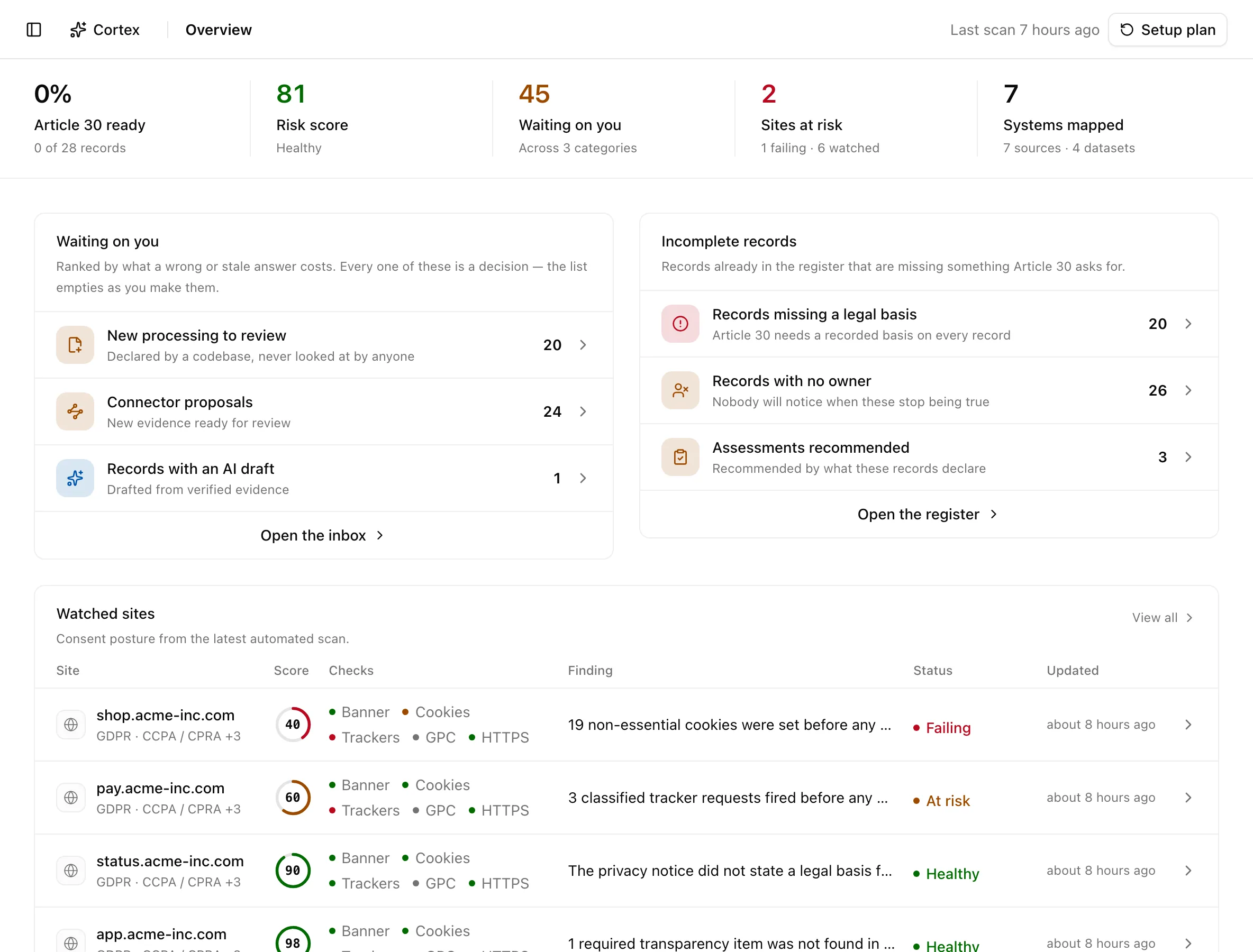
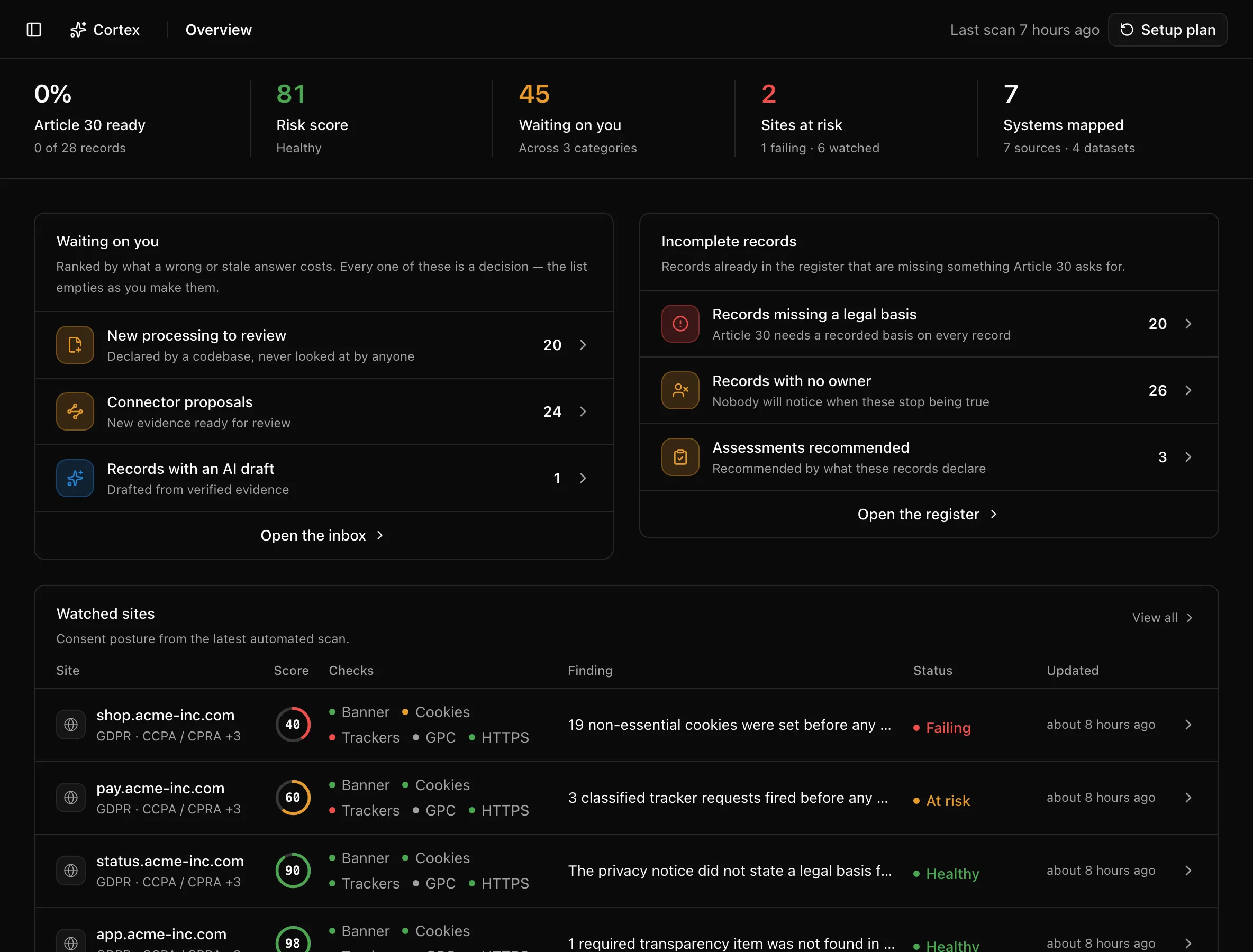
The stat band across the top is five links:
| Stat | What it counts | Where it goes |
|---|---|---|
| Article 30 ready | Share of records that are approved, complete, in date, and unchanged since approval | Records, filtered to ready |
| Risk score | Average technical risk score across monitored sites (Healthy, At risk, Needs attention), or "Awaiting scans" | Monitoring |
| Waiting on you | Items in the inbox, across its five queues | Inbox |
| Sites at risk | Monitors whose latest grade is at risk or failing | Monitoring, filtered to failing when any fail |
| Systems mapped | Systems in the data map, with source and dataset counts | Data map |
Below it, four panels do the triage:
- Waiting on you ranks the inbox queues by what a wrong or stale answer costs: Approved records that changed, Register drift, New processing to review, Connector proposals, Records with an AI draft. Each row is a deep link; Open the inbox takes the whole queue.
- Incomplete records lists gaps in the register: Records missing a legal basis, Records past their review date, Records with no owner, Assessments recommended, and Records due for review within 30 days. Open the register opens Records.
- Watched sites shows the six sites with the worst consent posture from the latest scan; View all opens Monitoring. With nothing watched yet, editors get an inline Watch your first site form.
- Your processing profile counts activities handling sensitive data, cross-border transfers, sale or sharing, targeted advertising, and profiling or automated decisions, each linking into a Records filter.
Evaluation scope lists the regulations the rest of Privacy checks against. Admins get Manage; everyone else sees that an organization admin chooses the evaluation scope in settings. The header shows when the last scan ran and, for editors, a Setup plan button.
The Privacy plan
Once all required setup checklist items are complete and a data map has arrived or there is register work to review, the overview opens the operating dashboard. Setup plan opens "Your path to privacy operations", which shows Overall progress and three phases, each marked Complete, In progress, or Not started, with pills for steps that need attention or await confirmation.
| Phase | Steps |
|---|---|
| Discover & Map | Choose the regimes you operate under, integrate the data map with CI/CD, monitor websites, build the data map |
| Assess & Act | Assign legal bases, complete recommended assessments, link privacy risks, resolve monitor findings |
| Prove & Maintain | Attach supporting evidence, maintain processing records |
Go to dashboard switches to the overview; ?view=plan brings the plan
back at any time. Steps are computed from your records, not ticked by hand.
Before anything is connected
Before the first data map arrives, an empty register opens Your register is waiting on one file, with two tracks:
- Waiting on your engineers: copy the CI instructions or use Send to a teammate to open an email draft. Opening a draft or copying does not mark anything as sent. After sharing, an editor or admin selects I've sent this; everyone in the organisation then sees the confirmed date and waiting state.
- What you can finish today: regulation coverage, organisation details, privacy contact, and organisation-wide security measures. The count comes from saved settings across four required items, plus a fifth for DPO and EU representative details when GDPR is selected. Editors and admins can update these settings.
Admins can Create token directly in the handoff card. It grants only
write:datamaps, is shown once, and must be shared separately and stored as the
NORU_API_TOKEN CI secret. Tokens never appear in copied instructions or email
drafts. Manage or revoke them under Settings → Developer.
When the first data map arrives, Track 1 shows Your first data map arrived, a green Received status, and Start reviewing. The first-run screen stays visible until all required setup checklist items are complete. Scanning a website does not dismiss it. Website monitoring remains available in the sidebar.
Noru does not decide which law applies to you. Regulation coverage is a signal derived from your data map and the regions you chose in settings, and every derived field on a record is observed evidence until a reviewer confirms it. Treat the figures here as a to-do list, not a legal opinion.
Related
Last updated on