

Privacy inbox
Decide on connector drift, connector proposals, record intake, and AI drafts.
What it is
The inbox is the one list of things a person has to decide in Privacy. Noru raises an item when a connector sees something the register does not say, when an approved record changes underneath its approval, when new processing arrives from the data map, or when an AI draft is waiting on a record. Deciding an item either changes the register or records that the divergence is acceptable; the inbox itself holds no state of its own.
Where to find it
PrivacyInboxThe header carries a segmented control (To decide / Applications). To decide is this page; Applications opens Connected apps.
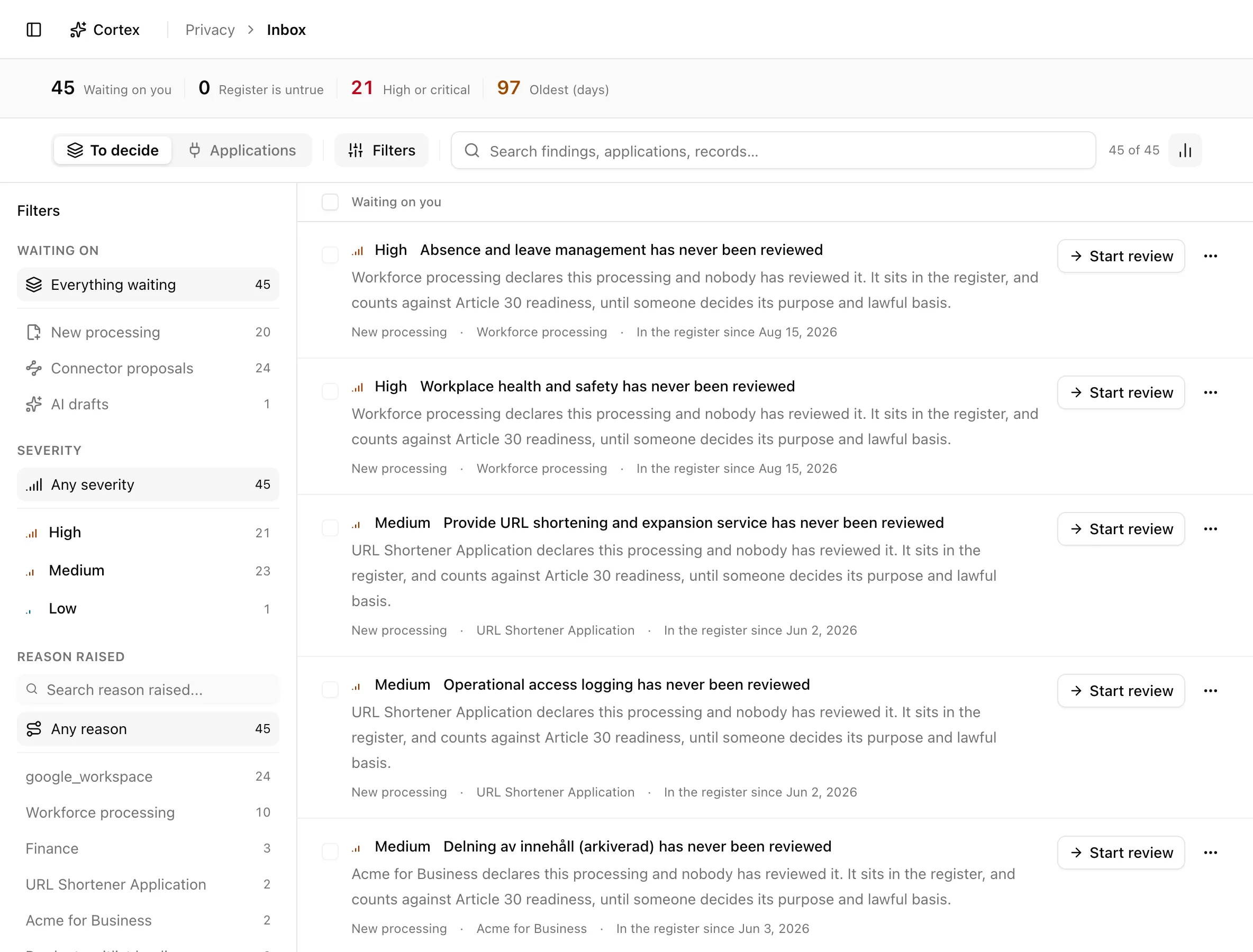
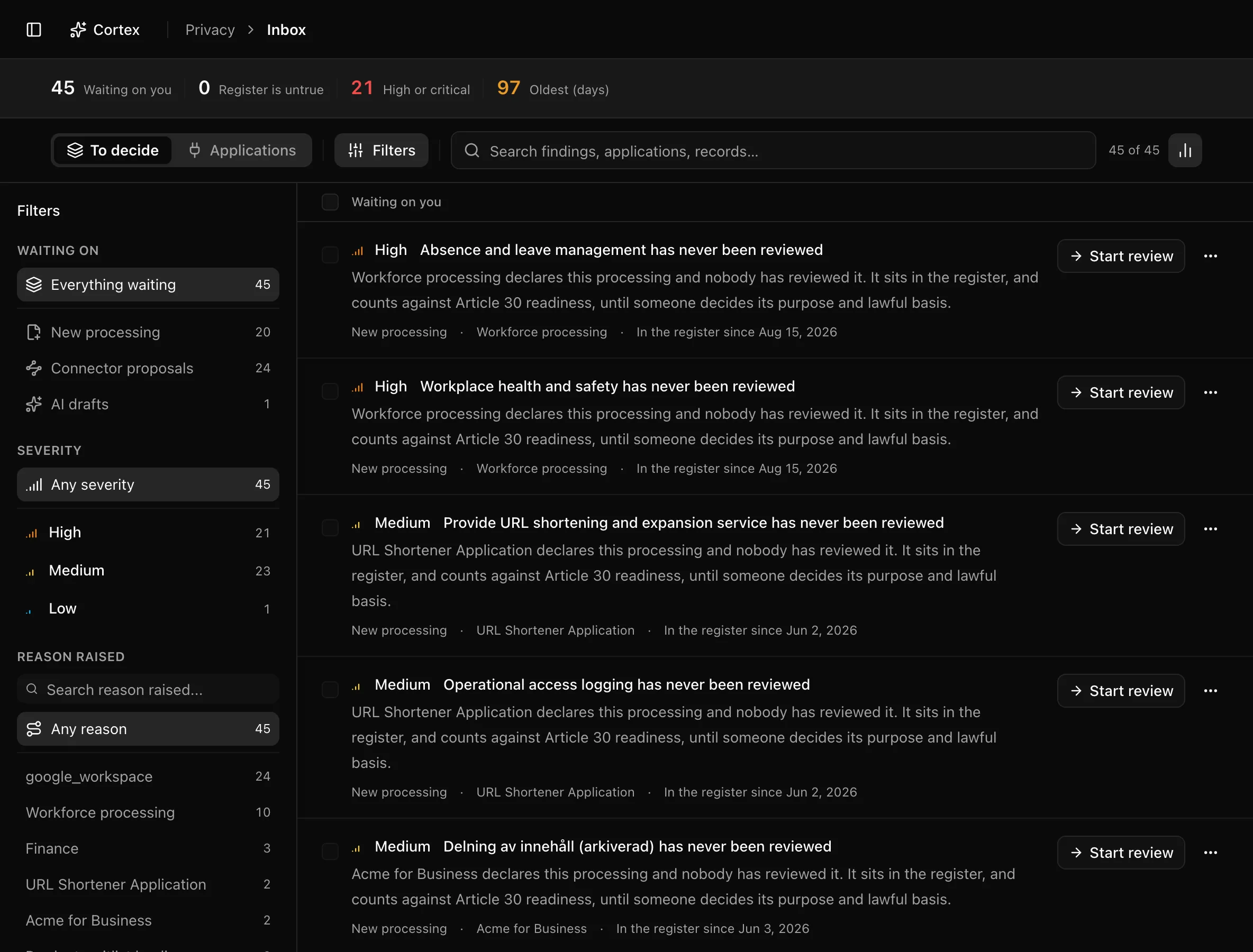
The insight strip counts Waiting on you, Register is untrue (changed approvals plus drift), High or critical, and Oldest (days). The sidebar has three sections: Waiting on (single-select: Everything waiting, Changed after approval, Register drift, New processing, Connector proposals, AI drafts), Severity (Any severity plus one pill per level), and Reason raised (Any reason, then the drift rule, connector, or system that raised it). Search covers findings, applications, and records.
Filters persist in the URL: ?queue= takes all, approval_superseded,
drift, new_processing, proposal, or ai_draft; ?q=, ?severity=, and
?origin= carry the rest. The overview's Waiting on you rows deep-link
here with ?queue= set.
Key actions
Every action below needs the editor or admin role. Viewers see the same list with a Read-only access note.
Re-approve a record that changed after approval
Start reviewing new processing
New processing arrives when the data map produces an activity nobody has looked at. Start review moves the record to in review; View record opens it. The decision itself happens on the record, which is why the checkbox on these rows is disabled and labelled "Decided on the record".
Review an AI draft
Items in AI drafts are records where the AI has proposed lawful basis,
retention, or other fields. Review the draft opens the record drawer at
/privacy/ropa?activity=[id], where you accept or dismiss the draft
field by field (see Records of processing).
Resolve register drift
Drift is a divergence between what a connector observes and what the register says. Each finding names its rule and offers the fix that closes it:
| Rule | Meaning | Fix offered |
|---|---|---|
| Registered but unused | A recipient is on a record but no grant has been used | Review access |
| Access withdrawn | The grant was revoked but the recipient is still registered | Remove recipient |
| On no record | An application reaches personal data but sits on no record | Add to a record |
| Not in the vendor register | The application has no vendor record | Add to vendor register |
A finding closes on its own once the divergence disappears. If the divergence is real but acceptable, use Not an issue… and answer "Why is this divergence acceptable?"; this is permanent. Mark as known (overflow) is softer: the finding stays, flagged Known — still diverging, so it is visible without nagging.
Accept a connector proposal
A proposal reads "Add [application] as a recipient on [record]" and shows a confidence band (Strong signal, Moderate signal, Weak signal, or Unrated), where it was derived from, when it was observed, and the scopes involved.
Decide many at once
Select drift findings or proposals and use the bulk bar: Mark N known, Accept N, or Not an issue. The last opens "Mark N items not an issue?" with a reason field, required whenever a drift finding is selected. Record items cannot be bulk-decided.
Statuses and fields
| Status | Meaning | Set by |
|---|---|---|
Changed after approvalapproval_superseded | An approved record's facts changed; the approval no longer describes it. | Data map ingestion or a record edit |
Register driftdrift | A connector observation disagrees with the register. | Identity-provider sync |
New processingnew_processing | A processing activity nobody has reviewed yet. | Data map ingestion |
Connector proposalsproposal | A suggested recipient link, with a confidence band. | Identity-provider sync |
AI draftsai_draft | AI-proposed values waiting on a record. | AI enrichment |
Known — still divergingconfirmed | Someone acknowledged the drift; it stays visible. | You, via Mark as known |
Sort order is fixed: kind in the order above, then severity, then age. The empty state reads Nothing to review; a filtered empty state reads No items match these filters.
Tips and gotchas
Work top-down. The ranking puts changed approvals first because they are the items where the register is actively wrong, not merely incomplete.
Not an issue is permanent for the finding and the proposal it dismisses. If the same application later reaches new data, that is a new finding; the old one is not revived.
What Noru does not do
Noru does not revoke access, delete a grant, or change anything in your identity provider. Accepting a proposal adds a recipient link on the record and nothing else on the vendor. Marking drift as known records agreement, not a fix; the divergence is still there.
Related
Last updated on