

Risk reports
Preview live reports, generate snapshots, and download PDFs for management and auditors.
What it is
Risk reports turns the register, controls, corrective actions, and vendor records into five management-ready documents. Each report has a live preview that always reflects current data, and a Generate action that freezes a versioned snapshot you can download as a PDF. Snapshots are what you hand to a board, an auditor, or the external audit package builder.
Where to find it
Risk ManagementReports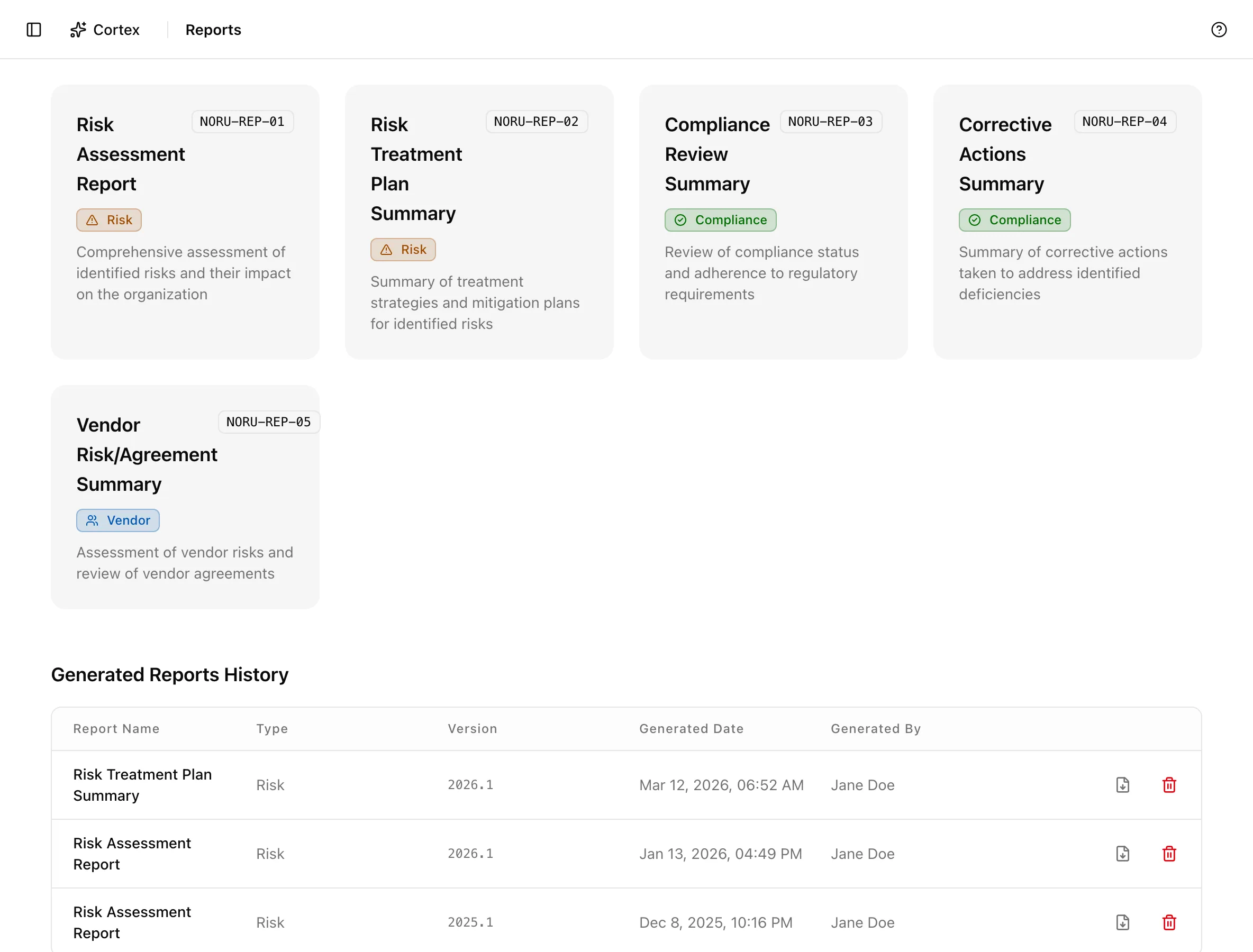
Key actions
Preview live data
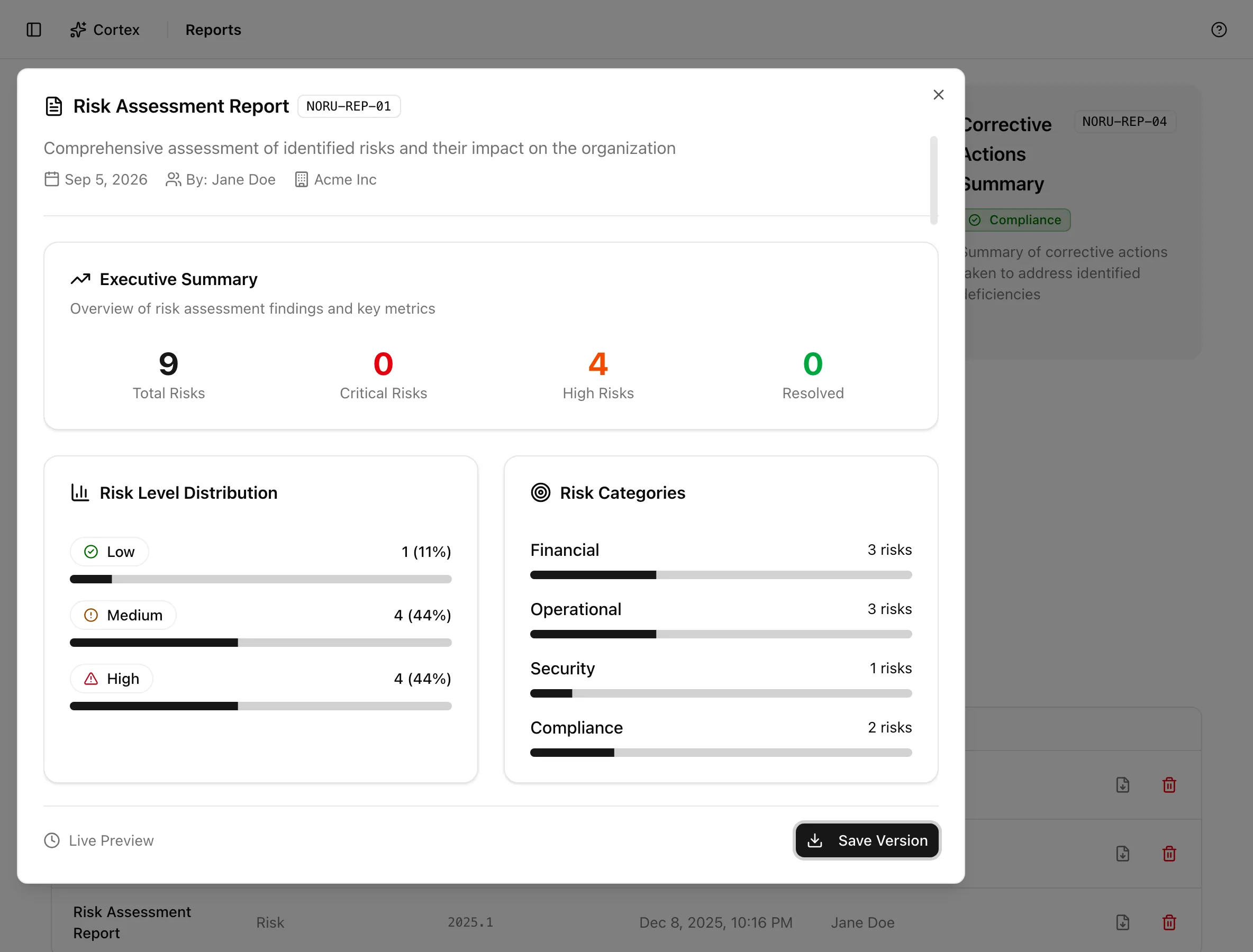
Click any report card. A modal titled with the report name opens on Live Preview, rendered from the data as it stands right now. Nothing is stored by opening it.
Generate a snapshot
Download the PDF
Click Download PDF in the modal, or "Download as PDF (.pdf)" on a row in the history table. Downloads work only for generated snapshots; the live preview refuses with "Can only download generated reports".
Delete a snapshot
Use Delete Report on the history row and confirm. This removes the snapshot and its PDF; the underlying risks are untouched.
Use a report as evidence
Each report card names the evidence item and controls it supports (table below), and those ids are printed in the PDF. Attaching the PDF to that evidence item is a manual step: download it, then upload it in the Evidence vault against the listed item. The external audit package builder is the exception: its Risk Reports step lets you pick a generated Risk Assessment and Risk Treatment snapshot directly, and can generate one in place.
Statuses and fields
| Report | ID | What it contains | Evidence item | Controls |
|---|---|---|---|---|
| Risk Assessment Report | NORU-REP-01 | Executive Summary, Risk Level Distribution, Risk Categories, Risk Register, Recommendations | E-RM-04 | RM-02 |
| Risk Treatment Plan Summary | NORU-REP-02 | Treatment Plan Summary, Treatment Status Distribution, Risks with Treatment Plans, Risks Requiring Treatment Plans, Recommendations | E-RM-05 | RM-02, RM-08 |
| Compliance Review Summary | NORU-REP-03 | Compliance Overview, Control Status Distribution, Controls by Domain, Control Implementation Details, Not Implemented Controls Requiring Attention, Recommendations | E-RM-07 | RM-04 |
| Corrective Actions Summary | NORU-REP-04 | Corrective Actions Summary, Action Status Distribution, Overdue Actions Requiring Immediate Attention, Actions Due Within 7 Days, All Corrective Actions, Recommendations | E-RM-08 | RM-04, RM-09 |
| Vendor Risk/Agreement Summary | NORU-REP-05 | Vendor Risk Overview, Risk Level Distribution, Agreement Status Distribution, High Risk Vendors Requiring Attention, Overdue Vendor Reviews, Complete Vendor Registry, Recommendations | E-TPM-19 | TPM-13, TPM-02 |
Cards carry a category badge (risk, compliance, or vendor). The history table lists Report Name, Type, Version, Generated Date, and Generated By ("System" when no user is recorded); it reads "No reports generated yet." until the first snapshot exists.
Tips and gotchas
Generate at governance points, not on a timer: before a management review, at quarter close, and when an auditor asks. Version numbers then map to meetings, which is what an auditor wants to see.
Live preview and snapshot can disagree. The preview is recomputed on every open; the snapshot is frozen. If a number looks wrong in a PDF, open the preview to see whether the data has since changed or the snapshot is what needs regenerating.
Deleting a snapshot is permanent. If the PDF was already shared with an auditor, keep the version they saw.
What Noru does not do
Generating a report does not create an evidence record, link the PDF to a control, or notify anyone. The evidence item and control ids are labels that tell you where the report belongs. The Recommendations section at the end of every report is generated from the counts in the report, not from a review of your program, and should be read as prompts rather than findings.
Related
Last updated on