

Custom domain
Serve the trust page from your own domain with DNS verification and automatic SSL.
What it is
A custom domain puts the trust page on an address you own, such as
trust.example.com, with a certificate Noru provisions for you. It is
required before a trust page can be published. Setup has three parts: name
the domain, prove you control it with a TXT record, and point it at Noru with
a CNAME once published. The Custom domain section reports each state as
you go.
Where to find it
Trust CenterBuilderAdvanced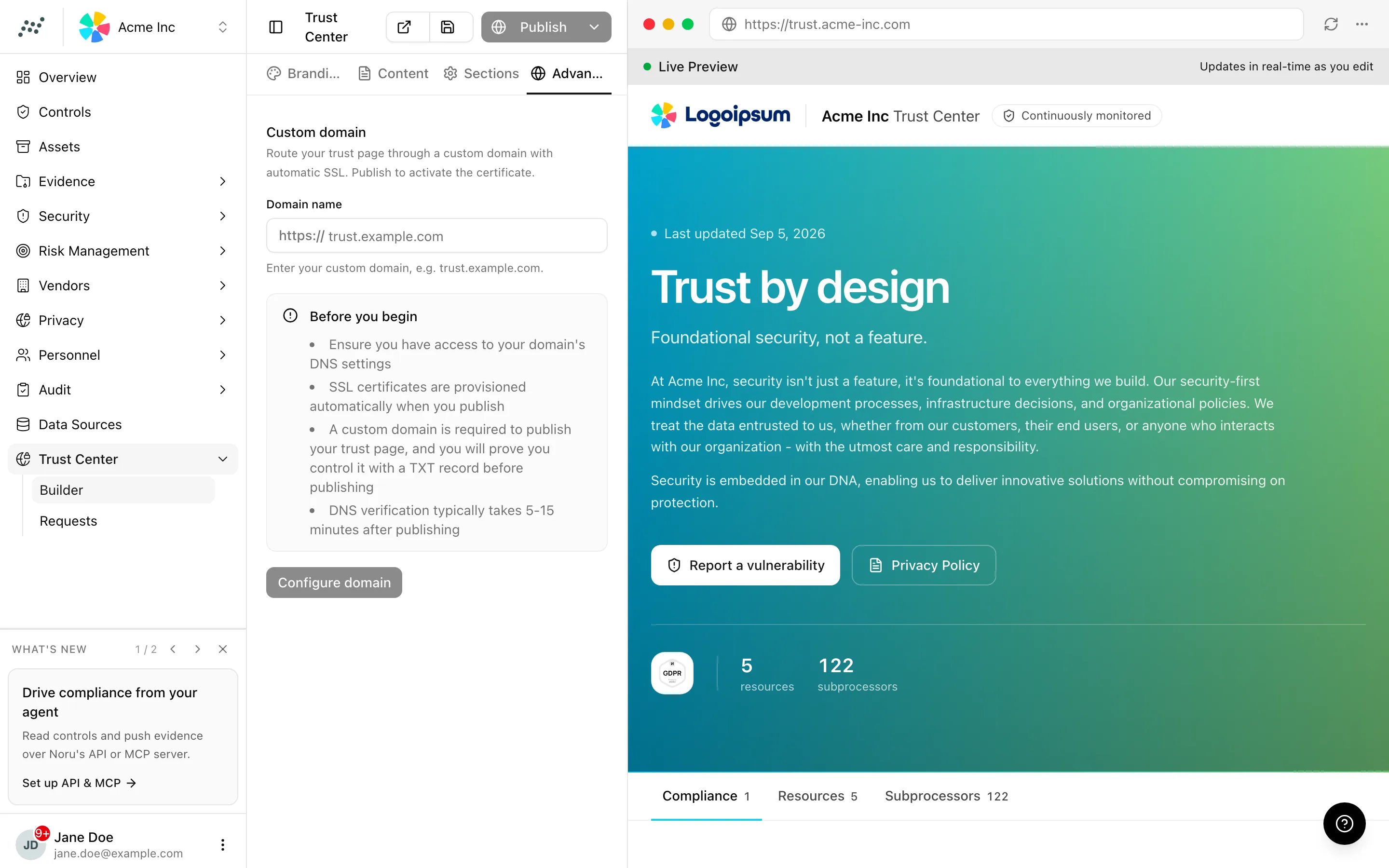
Key actions
Configuring, verifying, and removing a domain need the editor or admin role. You will also need access to your DNS provider.
Add the domain
trust.example.com). Use a subdomain you do not already serve.Prove you control it
The domain stays pending, and the trust page cannot be published on it, until the record is found. You can remove the TXT record after verification. If the same hostname is already in use elsewhere on Noru's infrastructure, a second panel, Ownership verification required, shows an additional TXT record to add as well.
Point the domain at Noru
Noru requests and renews the certificate for you. Five to fifteen minutes is typical after the CNAME resolves; a long TTL on an old record can stretch that.
Remove the domain
Remove domain opens the "Remove custom domain" dialog. Confirming detaches the hostname ("Custom domain removed successfully"); a published page becomes unreachable at that address until you configure another and publish again.
Statuses and fields
| Panel | Meaning |
|---|---|
| Prove you control this domain | TXT verification pending; publishing is blocked |
| Ready to Publish | Ownership verified; publish to activate the certificate |
| DNS instructions | Published, CNAME not yet seen |
| Domain verified & SSL active | Live; certificate issued |
| Domain configuration error detected | The CNAME points elsewhere or the certificate could not be issued |
| Ownership verification required | The hostname is already in use elsewhere on Noru's infrastructure; an additional TXT record is needed |
| Reserved Domain Detected | You entered a Noru hostname; choose your own |
Tips and gotchas
Add the TXT record and the CNAME in the same DNS session. The TXT is checked before publishing and the CNAME after, but nothing stops you creating both up front.
A hostname can be verified by only one organization. If a colleague's test
workspace verified trust.example.com first, remove it there before adding
it here.
Apex domains (example.com without a subdomain) need an ALIAS or ANAME
record at providers that do not allow a CNAME at the root. A subdomain
avoids the question.
What Noru does not do
Noru does not edit your DNS, register domains, or serve the trust page on a Noru-owned hostname in place of yours. It does not renew a certificate for a domain whose CNAME has been removed, and verification proves control at the moment you clicked Verify ownership, not continuously.
Related
Last updated on